EasyManua.ls Logo

Starkey Genesis AI - User Manual

Starkey Genesis AI
52 pages
Print Icon
To Next Page IconTo Next Page
Loading...
Your Rechargeable
Hearing Aid
User Manual
Rechargeable Products
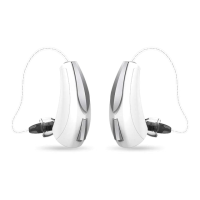
mRIC R (Micro Receiver-In-Canal)
Rechargeable
RIC RT (Receiver-In-Canal)
Rechargeable with Telecoil
Genesis AI

Questions and Answers

  • M
    Michael MoralesJul 28, 2025
    How to clean charging slots of Starkey Genesis AI Hearing Aid?
    • S
      Sandra MartinezJul 28, 2025
      To clean the charging slots on your Starkey Hearing Aids, follow these steps: 1. Remove your hearing aids from the charger. 2. Use the charger’s cleaning brush to clean the charging slots. 3. Place your hearing aids back into the charging slots.
  • C
    Christina BuckAug 1, 2025
    Why is my Starkey Hearing Aid not loud enough?
    • H
      Heather JacksonAug 1, 2025
      Your Starkey Hearing Aid might not be loud enough due to several reasons. It could be a low battery, so try replacing it. Another cause might be a blocked microphone, wax guard, or sound outlet. In this case, clean your hearing aids and replace the wax guards if needed. A buildup of debris can also cause this issue; clean the microphone, wax guard, and sound outlet with your cleaning tool brush. If none of these solutions work, it's possible that there's been a change in your hearing, and you should contact your hearing care professional.
  • R
    Raymond MorganAug 5, 2025
    What to do if my Starkey Genesis AI sounds unclear and distorted?
    • J
      Jacob JohnsonAug 5, 2025
      If your Starkey Hearing Aid sounds unclear and distorted, several factors could be responsible. The microphone, wax guard, or sound outlet might be blocked, so clean your hearing aids and replace the wax guards as needed. A blocked vent can also cause this, so try cleaning the vent. Ensure the battery is not low by replacing it with a fresh one. If the problem persists, it could indicate a defect with the hearing aid, and you should contact your hearing care professional.
  • D
    Devin AllenAug 10, 2025
    What to do if no sound coming from Starkey Genesis AI?
    • L
      Laura RamirezAug 10, 2025
      If you're not getting any sound from your Starkey Hearing Aids, here's what you can do: * Ensure the hearing aids are properly positioned in the charger by removing and re-inserting them. * If charging is needed, place your hearing aids in the charger until the charger indicator lights change from blinking to solid. * Check the receiver cable and reconnect it to your hearing aid if it's not fully connected. * Clean your hearing aids to address any blocked earbud, earmold, or cable issues.
  • H
    hogansarahAug 14, 2025
    How to fix inconsistent performance of Starkey Hearing Aid?
    • D
      Devin FowlerAug 14, 2025
      If your Starkey Hearing Aid performance is inconsistent, here are a few things to try: 1. Clean your hearing aids to address potential blockages in the earbud, earmold, or tubing. 2. Replace the wax guards as needed, especially if blockages are suspected. 3. If a restart is needed, place your hearing aids in the charger until charging begins, then remove them. This will power cycle your hearing aids.
  • A
    Amy TuckerAug 18, 2025
    How to fix blocked earbud of Starkey Genesis AI Hearing Aid?
    • A
      Amanda OrtegaAug 18, 2025
      To address a blocked earbud, earmold, or tubing in your Starkey Hearing Aids, cleaning your hearing aids is recommended. Additionally, replace the wax guards as needed to maintain optimal performance.
  • D
    Dr. Brianna ChungAug 22, 2025
    What to do with debris buildup in Starkey Genesis AI Hearing Aid?
    • T
      Tammy BrownAug 22, 2025
      To remove debris buildup on your Starkey Hearing Aid, clean the microphone and receiver using the cleaning tool brush.

Summary

Warnings, Cautions, & Notices

Required Hearing Aid Information

FDA compliance information and warnings for users under 18 and dispensers.

General Warnings and Cautions

Warnings regarding user age, dispenser advice, and hearing protection.

Use Your Hearing Aids

Step 1: Charge Your Hearing Aids

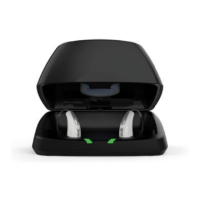
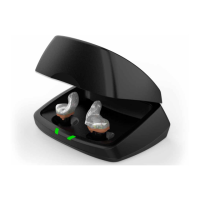
Instructions for charging the hearing aids using the StarLink Charger or Premium Mini Charger.

Step 2: Put On Your Hearing Aids

Step-by-step guide on how to properly wear the hearing aids behind the ear.

Step 3: Remove Your Hearing Aids

Instructions on how to safely remove the hearing aids from the ear.

Operating Hearing Aid Power ON;OFF

Details how to turn hearing aids ON/OFF using the charger or user control.

User Control Operations

Describes how to operate the hearing aid's user control via short press, long press, and tap.

Care for Your Hearing Aids

Replacing Wax Guards

Step-by-step instructions for replacing the wax guards in the hearing aid receiver.

Inserting New Wax Guards

Instructions on using the application stick to insert new wax guards.

Troubleshooting Guide

Hearing Aids Not Loud Enough

Identifies possible causes and solutions for insufficient loudness.

No Sound From Hearing Aids

Troubleshooting steps for when no sound is coming from the hearing aids.

Additional Guidance

Fall Alert Feature

Description of the Fall Alert feature and its configuration for notifications.

Regulatory Information

Technical Data (mRIC R)

mRIC R Performance Specifications

Technical specifications for mRIC R, including OSPL90, gain, and frequency range.

mRIC R Harmonic Distortion and Battery Life

Harmonic distortion levels and estimated lithium-ion battery life for mRIC R.

Technical Data (mRIC R Custom Cased, L, M, P, UP)

mRIC R Custom Cased;L;M;P;UP Specs

Technical specs for mRIC R custom cased and L, M, P, UP variants.

mRIC R Custom Cased;L;M;P;UP Distortion & Battery

Harmonic distortion and battery life for mRIC R custom cased and variants.

Technical Data (RIC RT)

RIC RT Performance Specifications

Technical specifications for RIC RT, including OSPL90, gain, and frequency range.

RIC RT Harmonic Distortion & Induction Coil

Harmonic distortion and induction coil sensitivity for RIC RT.

Technical Data (RIC RT Custom Cased, L, M, P, UP)

RIC RT Custom Cased;L;M;P;UP Specs

Technical specs for RIC RT custom cased and L, M, P, UP variants.

RIC RT Custom Cased;L;M;P;UP Distortion & Induction Coil

Harmonic distortion and induction coil sensitivity for RIC RT variants.

Starkey Genesis AI Specifications

General IconGeneral
RechargeableYes
CustomizableYes
CategoryHearing Aid
ManufacturerStarkey
Feedback CancellationYes
Noise ReductionYes
Directional MicrophonesYes
Water ResistanceIP68
Tinnitus ReliefYes
ConnectivityBluetooth
StyleBehind-The-Ear (BTE) and Receiver-In-Canal (RIC)
Battery LifeUp to 24 hours
App ControlYes
TechnologyDigital

Videos

How to Pair Your Bluetooth Starkey Genesis AI Hearing Aids

Related product manuals