EasyManua.ls Logo

Starkey StarLink Premium Mini - User Manual

Starkey StarLink Premium Mini
15 pages
Print Icon
To Next Page IconTo Next Page
Loading...
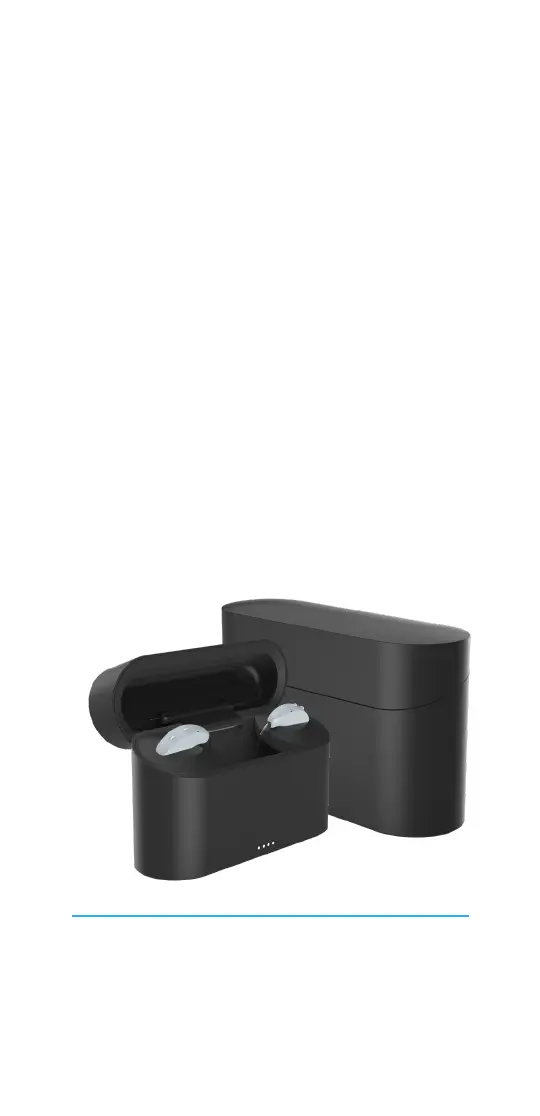
Your StarLink
Charger
User Manual
For charging mRIC R & RIC RT hearing aids
Chargers included:
StarLink Chargers
StarLink Premium Mini Chargers

Questions and Answers

  • M
    Michael ClarkeAug 6, 2025
    What to do if Starkey StarLink Premium Mini battery is drained?
    • N
      Nancy WilliamsAug 6, 2025
      If your Starkey Battery Charger's battery is drained, connect the power cord to your charger and plug it into an external power source, such as a wall outlet. The charger indicator lights will turn solid for 10 seconds and then transition to charging status.
  • W
    Whitney BradleyAug 16, 2025
    What to do if indicator light remains off when hearing aid is placed into Starkey StarLink Premium Mini?
    • N
      nreevesAug 16, 2025
      If the indicator light remains off when you place your hearing aid into the Starkey Battery Charger, first, take the hearing aid out of the charging slot and then return it, ensuring it is properly seated. If the issue persists, contact your hearing care professional for assistance, as it may indicate a charger failure.
  • S
    Stephanie MaldonadoAug 26, 2025
    What does it mean if left indicator light is blinking on Starkey StarLink Premium Mini?
    • J
      Jeffrey FrazierAug 26, 2025
      If the left indicator light is blinking on your Starkey Battery Charger, it could indicate several issues. First, remove the left hearing aid from the charging slot and then return it. If the blinking continues, it might mean that the left or right hearing aid has an electrical issue, or that the charger has lost communication with the hearing aid. In either of these cases, contact your hearing care professional for help.

Summary

Get to know your charger

Meet your charger

Overview of charger components including cleaning tool, earbud space, charging slots, indicator lights, USB-C port, and power cord.

Use your charger

Instructions for charging hearing aids, using indicator lights for status, and turbo charging features.

Care for your charger

Guidance on cleaning the charger using the included tool and tips for proper storage to maintain battery life.

Troubleshooting guide

Troubleshooting common symptoms

Addresses issues like blinking indicator lights and potential causes for StarLink Charger and Premium Mini Charger.

Charger not working

Solutions for charger battery drain or connection issues, including testing power sources and turning aids off.

Additional guidance

Intended use

Information on the charger's intended purpose, usage environments, and precautions for medical device compatibility.

FCC and regulatory information

Details compliance with FCC rules, ISED Canada standards, and instructions for disposal of old electronics.

Starkey StarLink Premium Mini Specifications

General IconGeneral
BrandStarkey
ModelStarLink Premium Mini
CategoryBattery Charger
LanguageEnglish

Related product manuals