12
|
Troubleshooting guide Troubleshooting guide
|
13
Troubleshooting guide
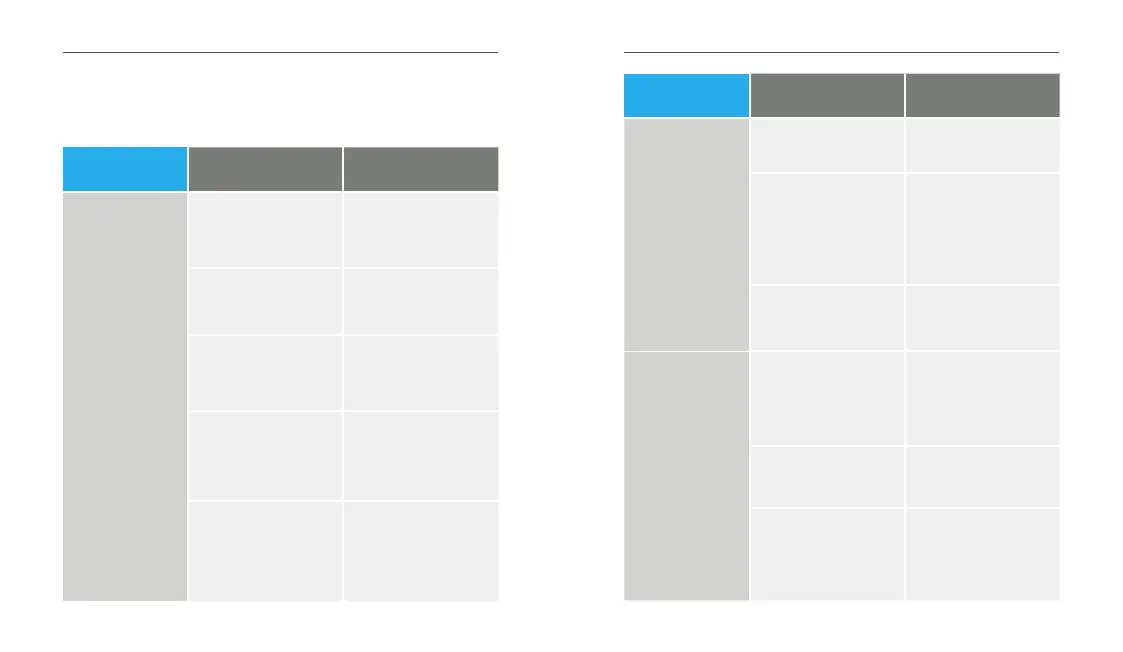
Problems with your TV Streamer? Try these tips. If issues
continue, contact your hearing care professional.
Symptom
Possible
Causes
Solutions
One (or both)
hearing aids
unexpectedly
drops out of
audio streaming.
Hearing aids may be
on the edge of wireless
range.
Move closer to the
TV Streamer.
Connection Error
Turn your hearing aid
OFF and then ON
Battery level in hearing
aid can no longer support
audio streaming.
Replace hearing aid
battery with new one.
The TV Streamer may not
be positioned for optimal
streaming.
Re-orient the TV Streamer
spatially by turning a few
degrees to right or left.
Large object, such as
furniture or a wall, may
be degrading signal.
For best performance,
your hearing aids should
be within line-of-sight of
the TV Streamer.
Symptom
Possible
Causes
Solutions
Indicator light is
solid blue, but no
streamed sounds
are heard in the
hearing aids.
Hearing aids are not
within wireless range.
Move closer to the
TV Streamer.
Audio stream needs to
be manually started to be
heard in hearing aids.
Manually start the audio
stream via your hearing
aid mobile app, wireless
Remote, or hearing aid
user control.
Hearing aids are not
paired with the TV
Streamer.
See Pair with hearing aids
on p. 6.
I expect to hear
audio streaming,
but my indicator
light is solid white.
Audio cable may be
connected to “audio IN”
on electronic audio
source.
Ensure the cable is
plugged into “audio
OUT” jack on the
electronic audio source.
No incoming audio signal
is available.
Turn on the electronic
audio source.
Electronic audio source
output is not correct
format.
Set the digital output
on your electronic audio
source to PCM or Dolby
Audio.


 To Next Page