18
|
Get to know your Remote Microphone +
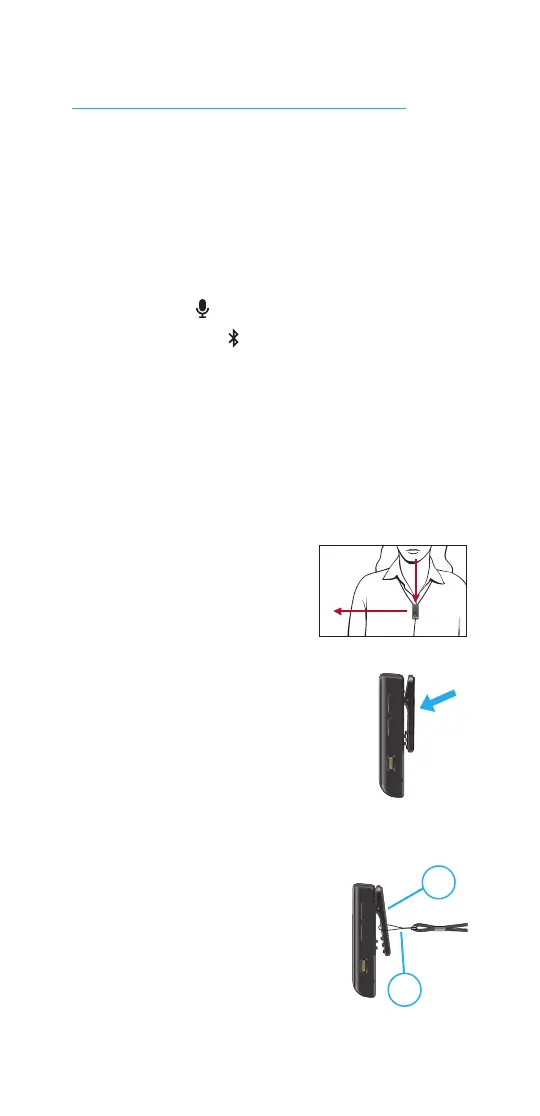
Wearing the Remote Mic +
Your Remote Mic + can be attached
to the clothing or lanyard worn by
the person speaking. When your
audio source is set to the remote
microphone or a Bluetooth
device
in phone mode , it’s best to place
it within 8 inches (20 cm) of the
person’s mouth.
Clothing instructions:
1. Squeeze the clip of the Remote Mic
+ until it opens.
2. Slide the opening
of the clip onto the
clothing.
3. Release the clip.
4. Ensure your Remote
Mic + is securely attached
to the clothing.
Lanyard (optional)
instructions:
1. Squeeze the clip of the
Remote Mic + until it
opens.
2. Slide the lanyard loop
into the clip opening.
Lift it towards the top of the clip.
Use your Remote Mic +
1
2



 To Next Page