25
|
Get to know your Remote Microphone +
Charge your Remote Mic +
To charge your Remote Mic +
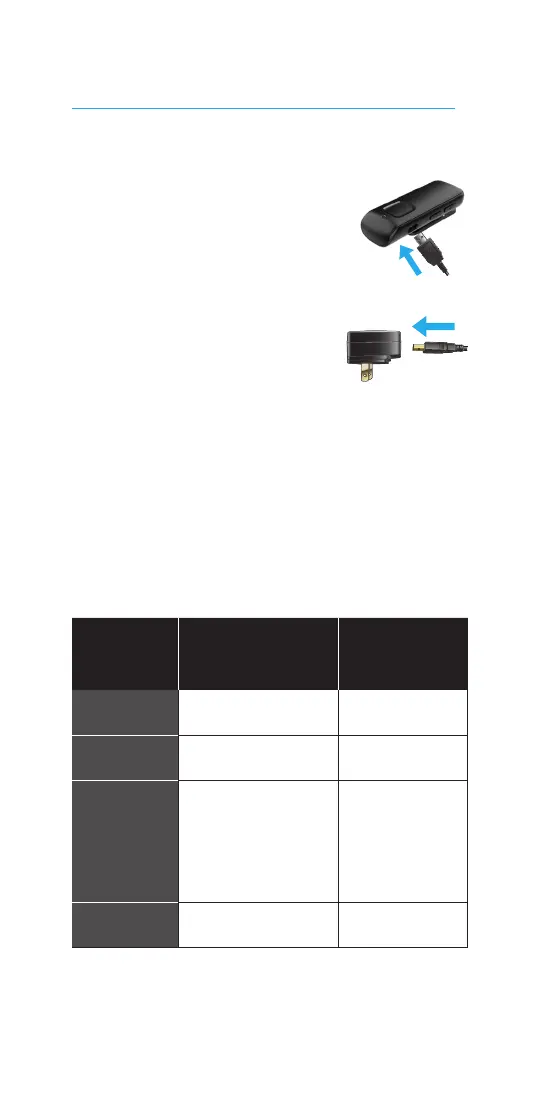
1. Attach the microUSB end
of the charging cable to
the microUSB jack on
your Remote Mic +.
2. Attach the microUSB
end of the charging
cable to the jack on
any compatible power adapter.
3. Plug the power adapter
into an external power source,
like a wall outlet.
4. Check the charging status using
the status indicator light on
your Remote Mic +.
Power
status
Status indicator
light status
Charging
status
OFF Solid green
Recharging
OFF None Fully charged
ON
Solid green
briefly interrupted
by other status
indicator light
behaviors
Recharging
ON None
Fully charged
NOTE: Charging your Remote Mic + may
take longer if you’re streaming audio.
Charging is typically faster when your
Remote Mic + is OFF.



 To Next Page