4.
buttons can be used for speed changing, pressing each time, 50RPM increase, pressing
each time, 50RPM decrease. After setting, pressing , status changes from“PUMP OFF” to
“PUMP ON”, pump starts to work.
5.
When LCD screen shows “PUMP OFF”, pressing to set parameters. Double press
working mode changes from“MANUAL MODE” to“AUTO MODE”, setting at first time starts from“CURRENT
TIME”, then set one by one the “START TIME”, “STOP TIME”, “0000(speed)” of timing period 1,2,3,4. Pressing
or to increase or decrease, press for confirmation. When setting, if “START TIME” and“STOP TIME”
are “00:00”, it is recognised as null.
6.
Only when pump stops, parameter setting is available, press to change pump status.
7.
When pump running under “AUTO MODE”, press and system jumps to“MANUAL MODE”.
8.
When parameter setting, if no operation over 5 seconds, CLEVER-pool jumps to home page.
9.
Hold the button for over 5 seconds, you can re-set the system or erase all setted parameter.
10.
If “CURRENT TIME” needs to be re-setted, you need to re-set the system.
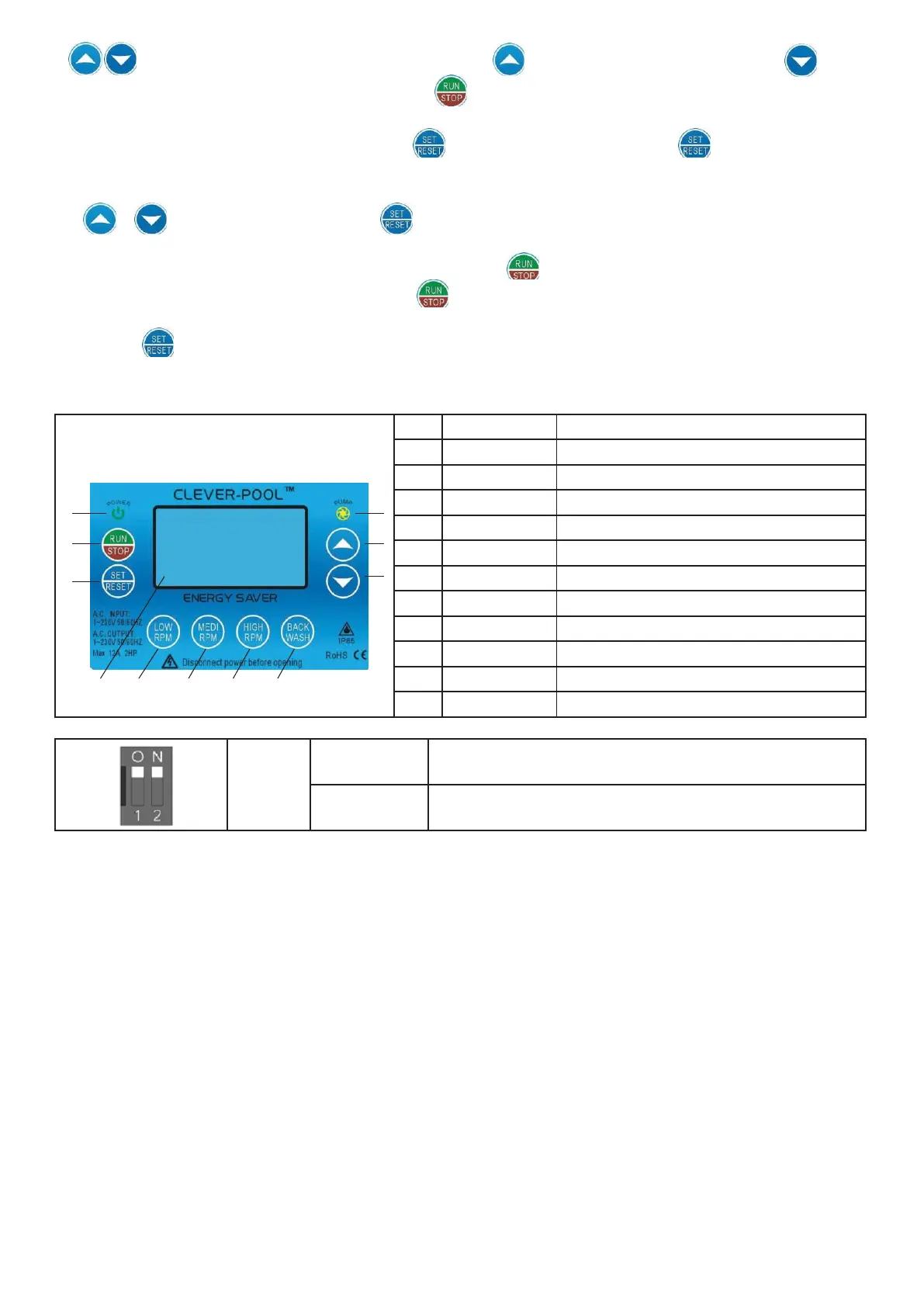
4. BUTTON AND FUNCTION EXPLANATION


 To Next Page