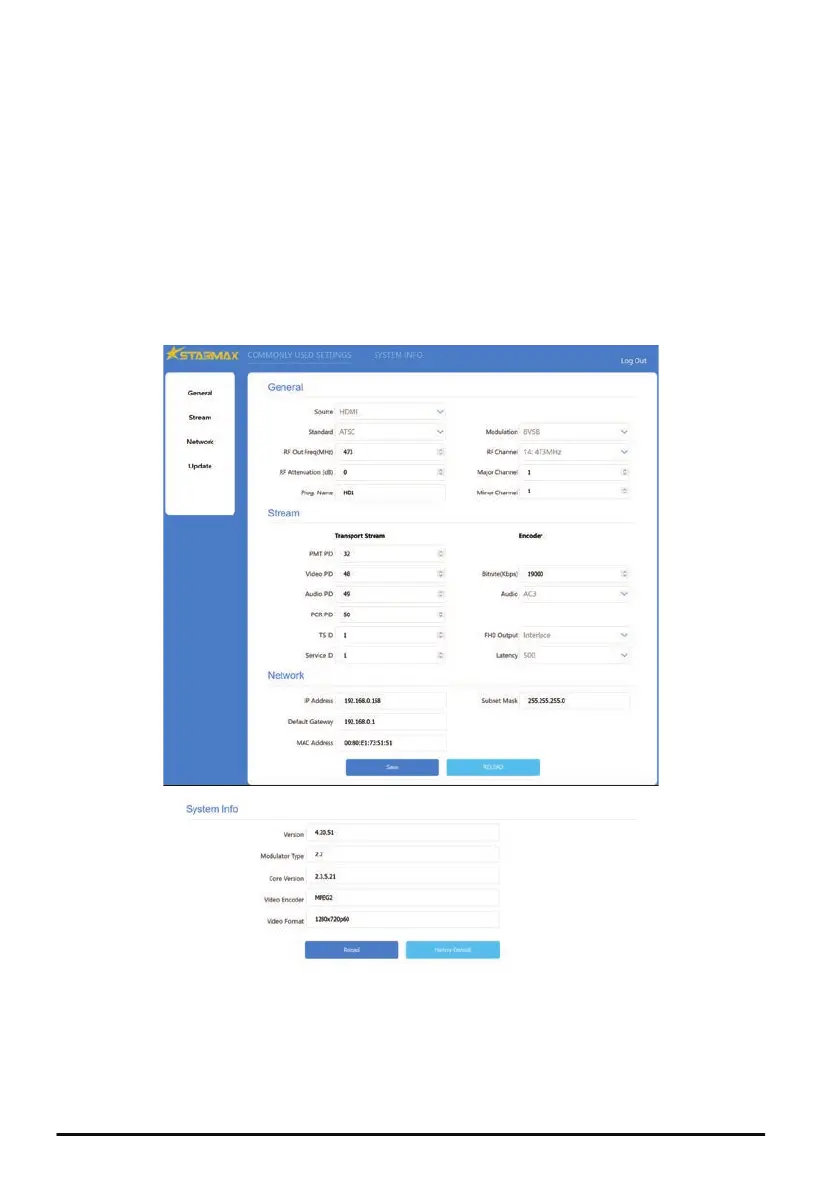
Web Configuration / Remote Control
(MX-200 and MX-300 Only)
① Connect the Ethernet (RJ-45) port on the back panel of the Modulator to the Ethernet port of a PC
with an Ethernet cable. Power on the Modulator.
② Configure the IP address of the PC to be static IPv4 192.168.0.100.
③ Launch a Web browser on PC and type http://192.168.0.168, The default login password is ‘admin’.
The default IP address of the Modulator is 192.168.0.168. The current IP address of the Modulator
can be found from LCD menu Network -> IP Settings.
The login user name and password can be changed from Login Settings on Web interface.
④ On the Web configuration pages of the Modulator, all settings from LCD menu are available for
remote access through Web interface.
There are 5 sections on Web configuration page - General, Stream, Network, Update and System Info.
9
MX-100R, MX-200 and MX-300 HD Modulator



 To Next Page