ATSC or J.83B QAM Modulation Output
If TV signal is originally coming from an outdoor antenna, an indoor antenna or Cable TV drop, follow
the steps below to combine with the HDMI (available on MX-100R, MX-200 and MX-300), or CVBS
(available on MX-200 and MX-300) or SDI (available on MX-300 only) video input.
If TV signal coming from an outdoor antenna, an indoor antenna or Cable TV drop is NOT required,
leave the RF IN port open and jump to step ④ below.
The Modulator with default settings can work as a plug-and-play device if it’s unsure about how to
configure the output frequency of Modulator output.
To customize the setting, refer to the section Choose Output Frequency for Modulator Output to
configure output frequency and channel number for HDMI/CVBS/SDI video and audio.
① Power on the Modulator with power adapter included in the package.
② Disconnect the end of coaxial cable connected to the RF/Antenna IN port of the TV.
③ Connect the end of the coaxial cable removed from step ② to the RF IN port of the Modulator.
④ Select the input source from HDMI, HDMI/Audio (MX-200 and MX-300), CVBS (MX-200 and MX-300),
or SDI (MX-300 only).
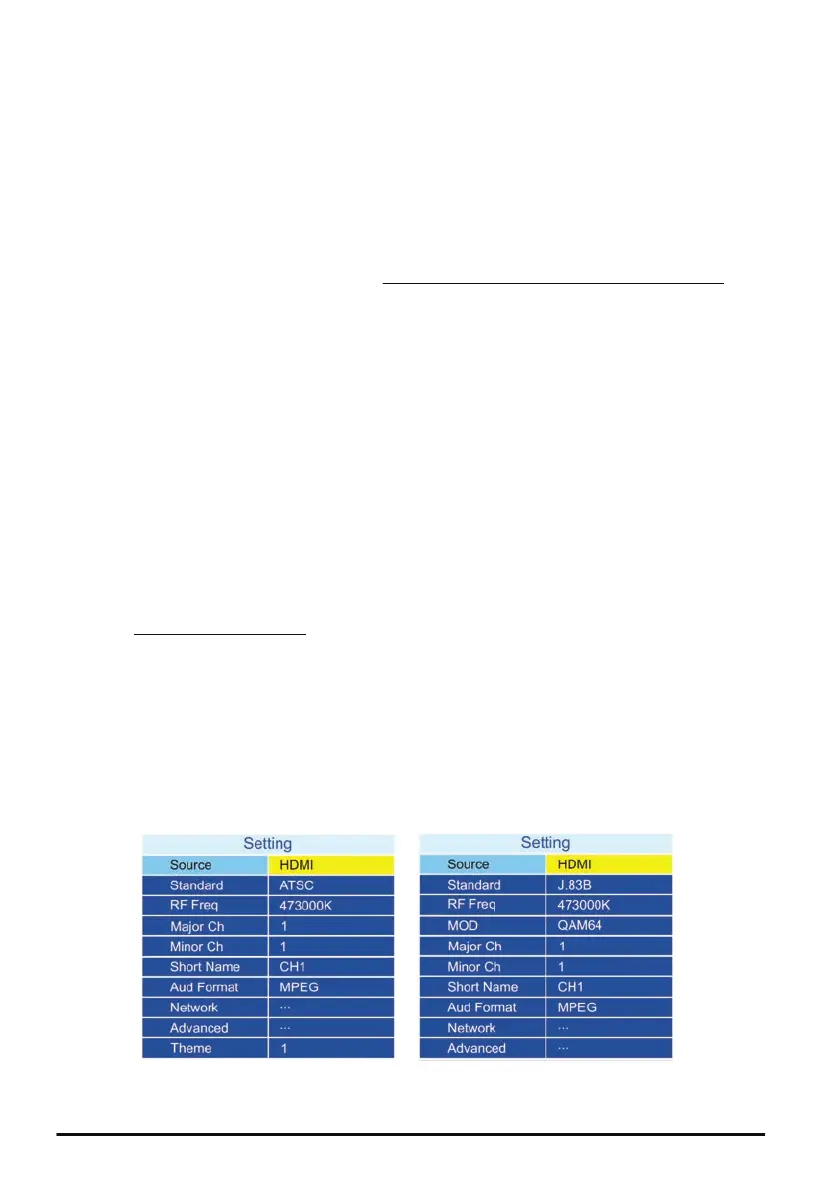
Select the modulation Standard in ATSC or J.83B QAM technique. All TVs sold in North America
supports ATSC standard while some new TVs support both ATSC and J.83B QAM standards.
⑤ If HDMI input source is selected, connect the HDMI IN port of the Modulator to the HDMI output port
of video source like DVD player, Satellite TV Set-Top Box, Video Streamer, Security Monitor ... etc.
If HDMI/Audio input source is selected, connect the HDMI IN port of the Modulator to the HDMI
output port of video source and the Audio L/R RCA jacks to the audio source.
If CVBS input source is selected, connect the RCA jacks (Video and Audio L/R) to the video source.
If SDI input source is selected, connect the SDI IN port to the video source.
It’s recommended to set the video resolution of video player or source at 1080p/i or 720p.
⑥ Go through the LCD menu screen or Web configuration pages to configure settings described in the
section LCD Configuration Menu.
⑦ Connect the RF OUT port of the Modulator to the RF/Antenna IN port of the TV with a coaxial cable.
⑧ Turn on the TV. Refer to the user guide of the TV to rescan all channels available.
⑨ Change the TV channel to the channel discovered after rescan. The video/audio of selected input
device (HDMI, CVBS or SDI) is displayed.
If HDMI or SDI input source is selected but not connected, the STARMAX logo might be displayed on
TV if the TV can accept video without audio content.
If CVBS input source is selected but not connected, blue screen is displayed on TV.
6
MX-100R, MX-200 and MX-300 HD Modulator


 To Next Page
 Loading...