PKG08761-UMSR160 17
ENGLISH
PARAMETERS (R?/P?)
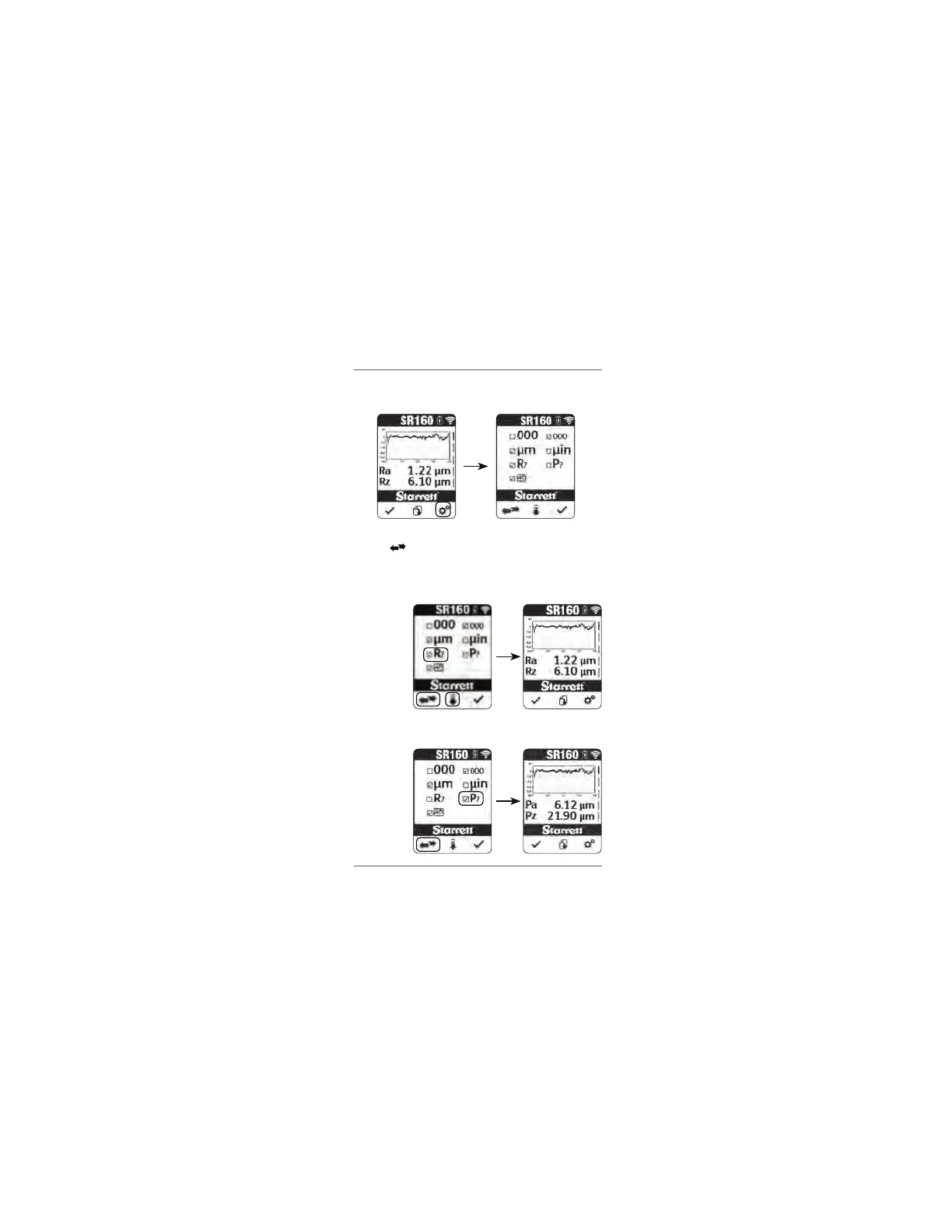
Press the settings button to enter the settings menu.
Press the down arrow button to scroll down to the Parameter setting line.
Press the to toggle between the two ISO 4287 parameter options
available to display – Roughness (R) or Primary (P). Press the check
button to accept the setting and exit the settings menu. Either selection
will display all the parameters available for that particular option on the
results screen.
ISO 4287 Roughness
parameters (R)
ISO 4287 Primary
parameters (P)
www.GlobalTestSupply.com
Find Quality Products Online at: sales@GlobalTestSupply.com


 To Next Page