18 PKG08761-UMSR160
ENGLISH
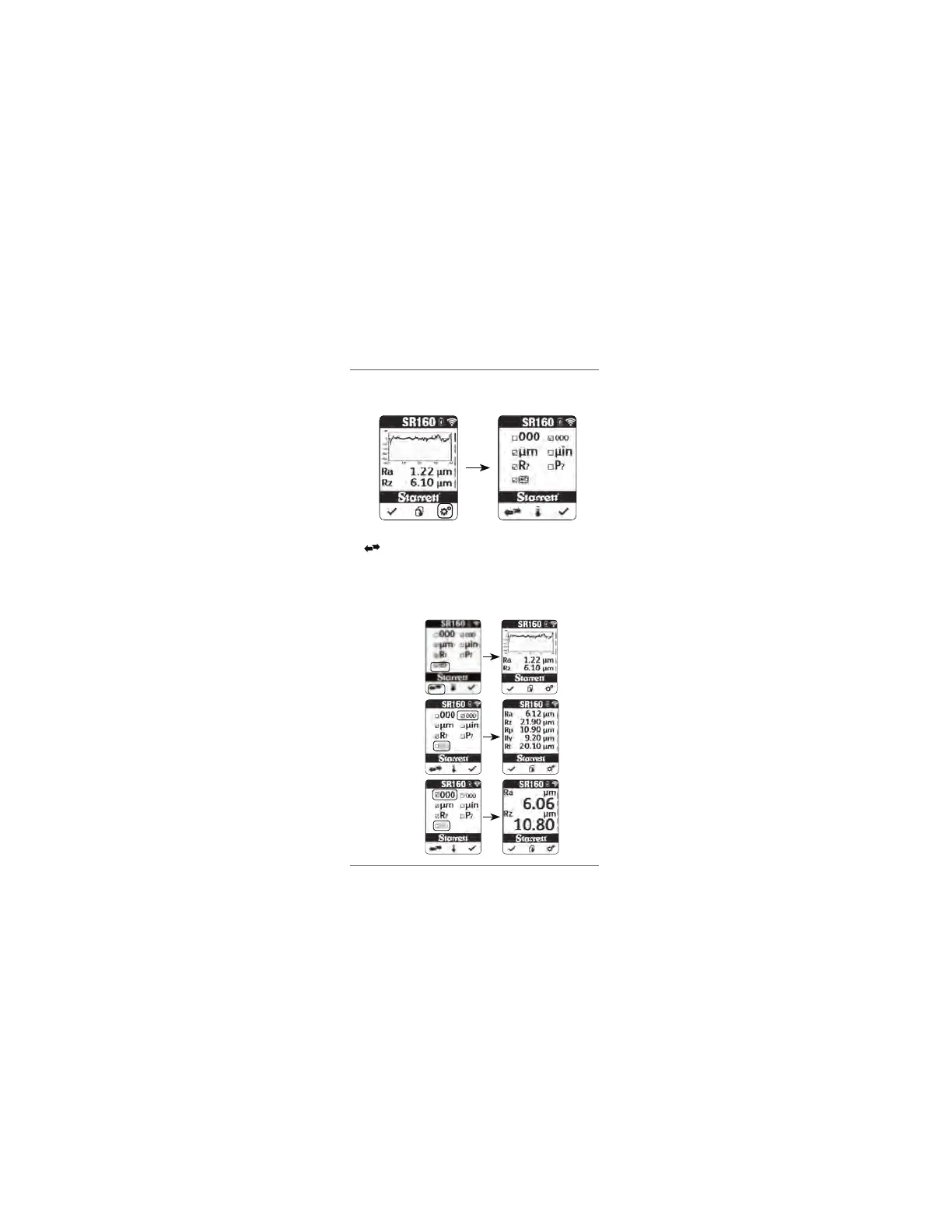
PROFILE GRAPH (ON/OFF)
Press the settings button to enter the settings menu.
Press the down arrow button to scroll down to the Graph option line. Press
the to toggle between the option of displaying or not displaying the
graph on the results screen. Press the check button to accept the setting
and exit the settings menu.
NOTE
For the graph option to be selected, the Small font option must be used.
Graph with Small Font
No graph with Small Font
No graph with Big Font
www.GlobalTestSupply.com
Find Quality Products Online at: sales@GlobalTestSupply.com


 To Next Page