9
To view manuals, videos, drivers, downloads, technical drawings, and more visit www.StarTech.com/support
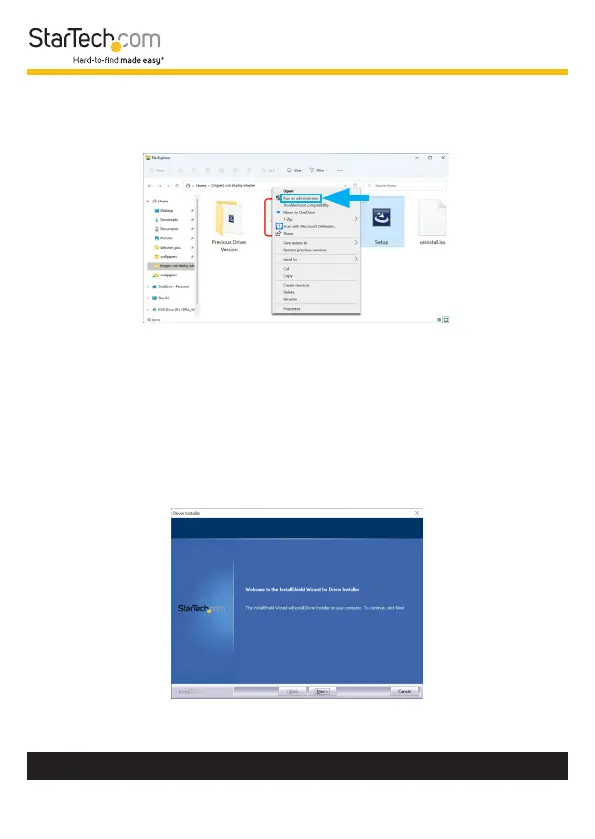
5. In the list of extracted les, right-click the Setup(.exe) le
and select Run as Administrator.
Note: If the Run as Administrator option is not available,
it’s likely that the installation le is attempting to be ran
from within the zipped le. Please extract the les using
the instructions in Step 5.
6. Follow the on-screen prompts to install the device drivers
and restart the computer when prompted.












 To Next Page