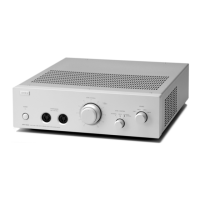
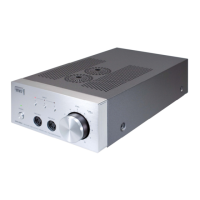
本機に接続できる機器は次の通りです。
ボリュームツマミを左一杯に廻し切った状態で
接続してください。
●プリアンプ及びプリメイン・アンプのREC
OUT、PRE OUTなどに接続できます。CDプ
レーヤー、カセットデッキ、チューナー、ビデ
オデッキ、DAT/MDデッキ等。また、ポータブ
ルオーディオプレーヤー等の音声ライン出力や
ヘッドフォン端子にも直接接続できます。
●これらの機器とSRM-252Sのリアパネルの入
力端子を付属のオーディオコードで接続しま
す。また、ヘッドフォンジャックなどに接続す
る場合は、市販の変換コードや変換コネクター
をご用意してお使いになれます。
●付属のACアダプターを壁のコンセントか
テーブル・タップまたはオーディオ機器のAC
コンセントに差し込み、プラグをSRM-252Sの
リアパネルのACアダプター・ジャックに差し
込みます。
●フロントパネルのイヤースピーカー用出力端
子にイヤースピーカーのプラグの突起表示を上
にして差し込みます。ボリュームツマミを静か
に廻してパワースイッチを入れ、適当な音量に
調節してください。
The following audio equipments can be
connected to the SRM-252S driver unit.
Please be sure to turn the volume knob fully
counterclockwise before connecting it to other
equipments
●Connectable equipments are pre-/integrated
amplifier (“REC OUT” or “PRE OUT” terminal),
CD player, cassette deck, tuner, video deck,
DAT/MD deck, etc. Also the line output or the
headphone jack of a portable audio player can
directly be connected to the driver unit.
●Connect the above audio equipments to the
input terminal on the SRM-252S rear panel
using the supplied audio cable.
When connecting to the headphone jack, use a
commercially available conversion cable or
conversion connector.
●Insert the supplied AC power adaptor into a
wall (or table) socket, and then its other plug
into the DC inlet on the SRM-252S rear panel.
●Insert the cable plug of your ear speaker with
its convex mark upward into the SRM-252S
front panel socket. Power on the unit and turn
the volume knob slowly clockwise to set optimal
volume level.
使用方法
1
1
How to use
パラレルアウト(PARALLEL OUT)の
使い方とご注意:
この出力端子は、3ページの図のように
「INPUT」に接続されたソースの信号がそのま
まの形で出力されます。増設したドライバーユ
ニットやラウドスピーカー用のアンプ等に接続
する時にご利用できます。
ご注意:パラレルアウト端子に接続されたプ
リアンプ/プリメインアンプの電源がOFFの場
合、入力インピーダンスが下がってしまい、音
が歪むことがあります。その場合は、アンプの
電源を入れるか、ケーブルを外してください。
About usage and caution of
“PARALLEL OUT”:
“PARALLEL OUT” terminal is a direct output
connected to “INPUT” as shown in the diagram
on page 3. It can be used for connection to
another driver unit or to an amplifier to drive a
loudspeaker.
Note: When the pre-/integrated amplifier
connected to “PARALLEL OUT” is powered
off, sound might be distorted because of the
lowered input impedance. In this case, either
power on the pre-/integrated amplifier or
disconnect the cable.
-2-


 To Next Page
 Loading...