WWW.STEALTHCAM.NET
Toll Free 877-269-8490
21
SettingtheTimeandDateinPIRoperationmode:
YourStealthCamusesthe24hrmilitarytimeformat.
• SwitchthecameratotheONposition.
¾ LCDscreenwilldisplaythecamerastatusscreen.
• Pressthe[MENU]buttonwithin30secondstoenterthe
programmingmode.
• ThewordPIRwillbeblinking,pressOKtoconfirmthe
camera
operationbyPIRdetection.
• Press[DOWN]buttonTWOtimestoenterTimeandDatemode.
• ThewordTIMEwillbeblinking.
• Press[OK]toenterMinutesettingfirst.
• TheMINUTEdigitswillbeblinking.
• Press[UP]or[DN]toincreaseordecreasetheminute
value
(00–59).
• Press[OK]tosaveyourselectionandenterHoursetting.
• TheHOURdigitswillbeblinking.
• Press[UP]or[DN]toincreaseordecreasethehourv a lue
(00–23).
• Press[OK]tosaveyourselectionandenterMonthsetting.
• The
Monthdigits willbeblinking.
• Press[UP]or[DN]toincreaseordecreasetheMonthvalue.
(1‐12).
WWW.STEALTHCAM.NET
Toll Free 877-269-8490
22
• Press[OK]tosaveyourselectionandenterDaysetting.
• TheDaydigitswillbeblinking.
• Press[UP]or[DN]toincreaseordecreasetheDayvalue.
(01–31).
• Press[OK]toconfirmtheDatesettingandenterYearsetting.
• TheYEARdigitswill
beblinking.
• Press[UP]or[DN]toincreaseordecreasetheYearvalue.
(01–99).
• Oncethisisalldone,press[OK].
• You’llthenseetheword‐dEL‐blinking.
• Press[MENU]buttontoexittheprogramsettingandbacktothe
statusscreen.
WWW.STEALTHCAM.NET
Toll Free 877-269-8490
23
SettingtheTimeLapseMode:
FIRST, you need to make sure the Program Control Switch is in the
CUSTOM position. The TimeLapseDefaultsettingvalueisfrom18:00
to8:00thenextday.Whenthecameraissettotimelapsemode,the
program setting will bypass any PIR activation. Instead, the user can
set
the program for a pre‐determined time period [such as 6:00 to
18:00].Theuserthensetsthefrequencyofpicturesonly(NOTvideos)
during this time period [such as one picture every 10 seconds]. The
camerawillremaininTime Lapsemodeuntiltheprogramsettinghas
beenchanged
bytheuser.
• SwitchthecameratotheONposition.
¾ LCDscreenwilldisplaythecamerastatusscreen.
• Pressthe[MENU]buttononcewithin30secondstoenterthe
programmingmode.
• Press[UP]buttonuntilyouseethe
wordtLSblinking.
• Press[OK]toconfirm
andgointoTLS
Mode"StartTime"setting.
• ThedisplaywillshowTIME+S88:88
(S=Start,88:88=timeinHH:MM)
• Press[OK]tosetthe“StartTime”
setting.Atthispointyoucanadjustthe
timefrom00:00to23:59.
• TheMINUTEdigitswill
beblinking.
WWW.STEALTHCAM.NET
Toll Free 877-269-8490
24
• Press[UP]or[DN]toincreaseordecreasetheminutevalue
(00–59).
• Press[OK]tosaveyourselectionandenterHoursetting.
• TheHOURdigitswillbeblinking.
• Press[UP]or[DN]toincreaseordecreasethehourv a lue
(00–23).
• Press[OK]
tosavethe“StartTime”settingandmovetothe“End
Time”sett ing.
• Aftercompletingthestarttimesetting,
camerawillgointoTLSMode"EndTime"
setting.
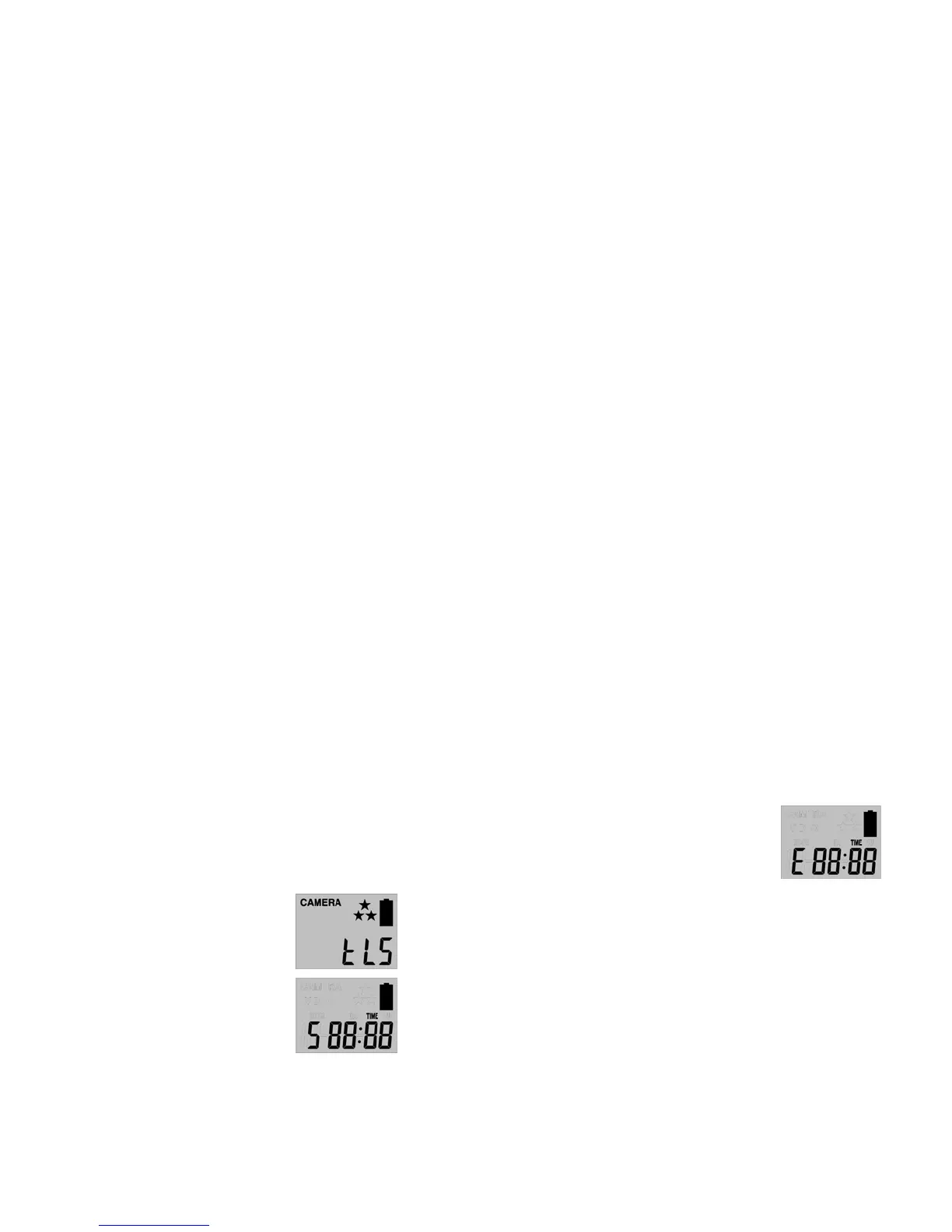
• ThedisplaywillshowTIME+E88:88
(E=End,88:88=timeinHH:MM)
• Atthis
pointyoucanadjustthetimefrom00:00to23:59by
pressingthe[UP/DN/OK]buttonssameasStartTimesettings.
• Press[OK]tosavethe“EndTime”settingsandmovedirectlyto
theTIMEOUTsetting.
• PleasecompletetheTIMEOUT,Stillimageresolution,BurstMode,
Zoomsettingslike
thesettingsonthePIRoperationmode.
• Thenpress[MENU]buttontoexit.
EXAMPLE:
#1:IfauserselectedtheTimeLapsemode,andsetthestarttimefrom
08:00 and end time at 20:30, and then selected the timeout to be
00:05withaburstshotof3P,
thismeansthecamerawillkeeptaking
burst shots of 3 pictures for every 5 seconds within time interval of






 To Next Page