14
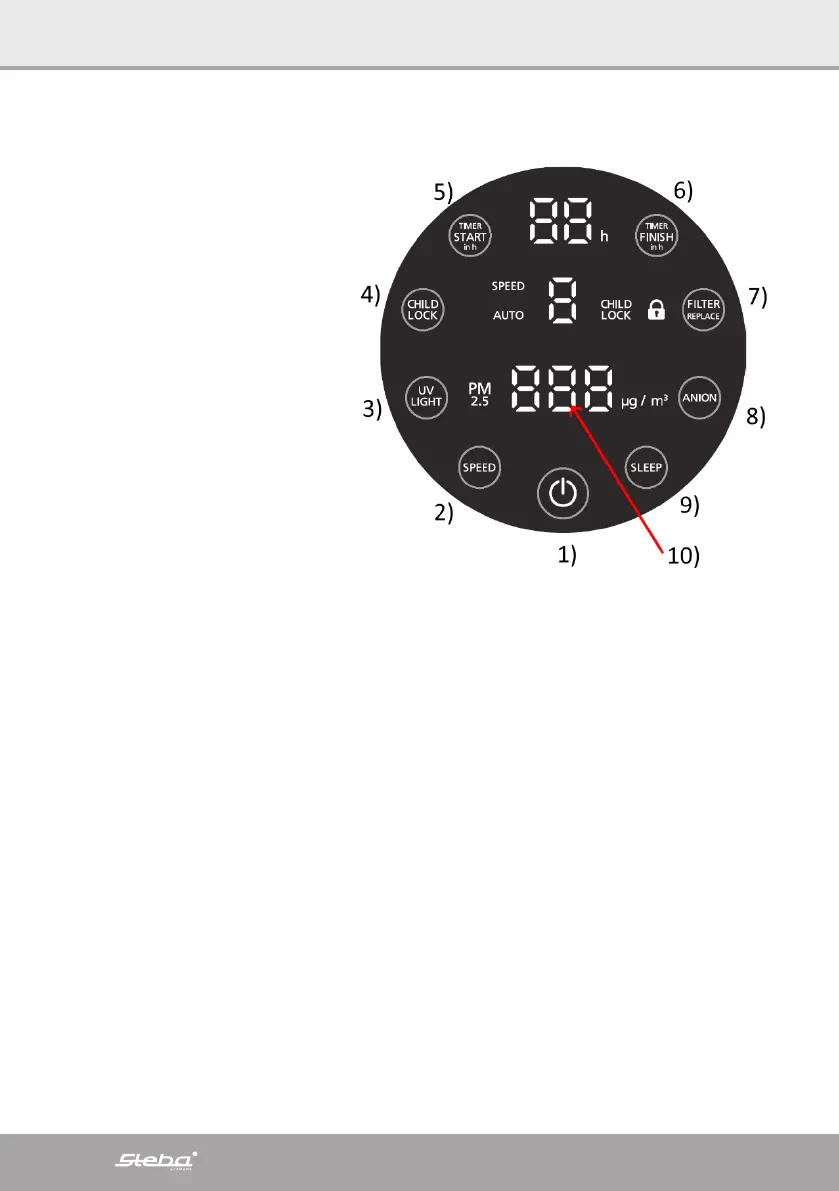
Display
1. Start / Stop
2. Power level 1 – 4
3. UVC-light
4. Child lock
5. Timer pre-setting 1 – 12 hours
6. Timer finish 1 – 12 hours
7. Filter replacement
8. Ion generator
9. Night mode
10. Indication of air quality
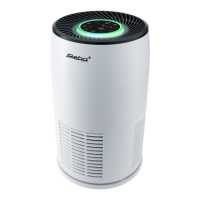
The colored illuminated ring
around the display changes de-
pending on the air quality and
measurement by the PM 2.5 fine
dust sensor:
∙ Green =
optimal air 0 - 50 µg / m³
∙ Yellow =
moderate air 51 - 150 µg / m³
∙ Red =
bad air from 151 µg / m³
Getting started
∙ Doors and windows should be closed for an optimal cleaning performance.
∙ Connect the device.
∙ Press the start button 1). The display lights up and the ventilation runs at the low-
est level. The display shows the current air quality, e.g. 26 µg / m³.
∙ The power level can be regulated with button 2).
∙ To switch on the disinfecting UVC light, press button 3). The button lights up. The
UV light is switched off by pressing the button again.
∙ The ion generator ensures a pleasant room climate through air enriched with neg-
ative ions. It is activated by pressing button 8).
∙ With the time preselection 5) you can determine when the device should start
working (1 to 12 hours).
∙ With button 6) you can determine when the device should stop working (1 to 12
hours).
∙ Using the child lock 4) you can lock the buttons to prevent accidental changes to
the setting.
∙ The device is switched to night mode with button 9). All previous settings are re-
tained, only the power level is reduced to the minimum and the device lighting
switches off.
∙ The air intake and outlet must never be covered.


 To Next Page