HEIGHT ADJUSTMENT CONTROLLERS
For a visual demonstration, please visit youtube.com/steelcasetv
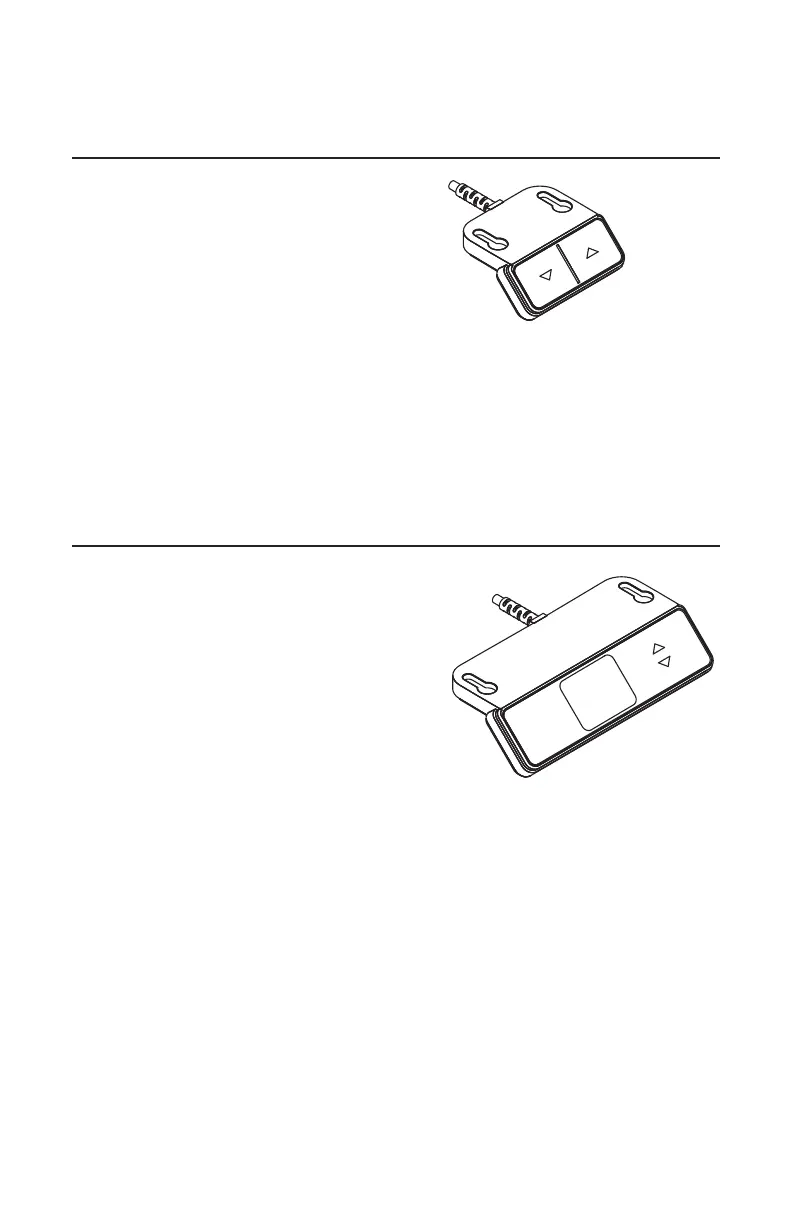
Up/Down Controller
OPERATING THE CONTROLLER
The controller has two buttons for user
control.
• Press and hold either the up or down
button to reach the desired desk height.
• The desk will continue to move up or down
until the user releases the button or the
maximum or minimum height is reached.
Note: The controller can be mounted in a fixed location on the left or right front
edge of the desk.
Note: As a safety feature, the user must continuously hold down the button in
order for the desk to move.
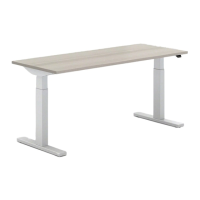
4 Preset Programmable Controller
with Digital Display
1
2
3
4
OPERATING THE CONTROLLER
The controller has seven buttons for user
control. Two of the buttons are the up and
down buttons, controlling the movement of
the desk. One of the buttons is the memory
button, which is used to set heights to be
stored. The remaining four buttons are
memory position buttons. The controller
also has a digital display, which displays the
numerical height of the desk (in inches or cm).
• Press and hold either the up or down button to reach the desired height.
• The desk will continue to move up or down until the user releases the button
or the maximum or minimum height is reached.
• To switch to a stored height in memory, use the four memory position buttons.
Press the required memory position button and hold it down. The desk will move
until it reaches the saved position. If you release the button before the saved
position is reached, the desk will stop and the saved position will not be reached.




 To Next Page