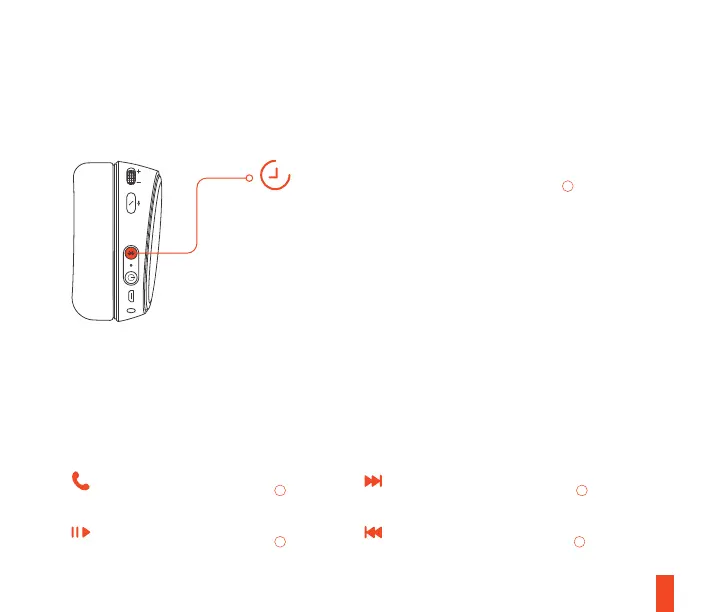
6s
18
BLUETOOTH
Next track
double · · press Bluetooth button
07
Previous track
triple · · · press Bluetooth button
07
Answer/end voice call
single · press Bluetooth button
07
Play/pause music
single · press Bluetooth button
07
BLUETOOTH
01 With the headset powered on, press
and hold the Bluetooth Button
07
for 6
seconds. The headset LED will rapidly
blink blue.
02 In your device’s Bluetooth settings, scan
for available devices and select “Arctis 9”
or “Arctis 9P”.
PAIRING
CONTROL






 To Next Page