6
SETUP
BLUETOOTH PAIRING
Note: The rst time you use the GameBuds™, they will be in Bluetooth
pairing mode automatically. If you need to pair a second device or the
pairing fails, please follow these steps.
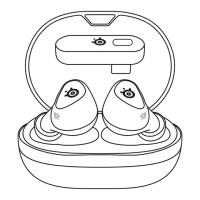
1 To enter Pairing Mode, place both GameBuds™ in the Charging Case.
2 Hold one of the Gesture Control Buttons (1) on either GameBud for
3 seconds to activate Bluetooth Pairing Mode.
3 The GameBuds™ Status LEDs (2) will be blinking blue.
4 Follow the standard Bluetooth Pairing Process of your device.
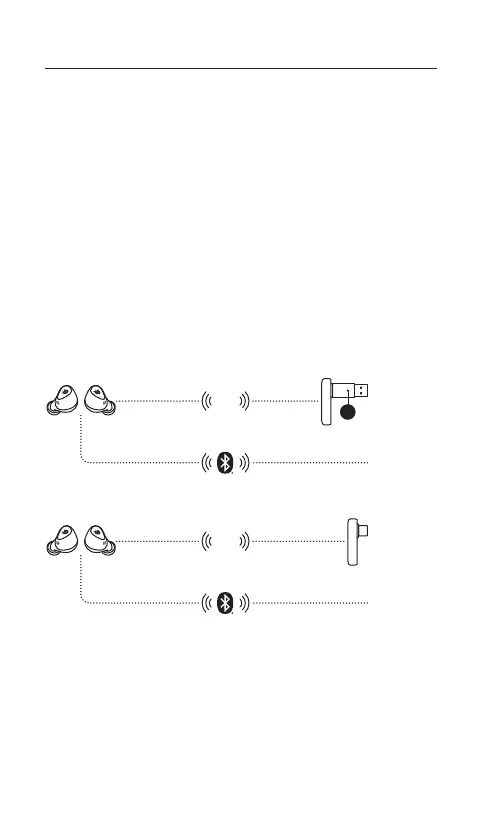
GAMING DEVICE SETUP
CONNECTION TO USB-A
CONNECTION TO USB-C
Any BT
Device
2.4
GHz
12
Android
Switch
Mac
Any BT
Device
2.4
GHz


 To Next Page