L1
L2
R1
R2
7
GETTING STARTED ON ANDROID, SAMSUNG GEAR VR & OCULUS GO
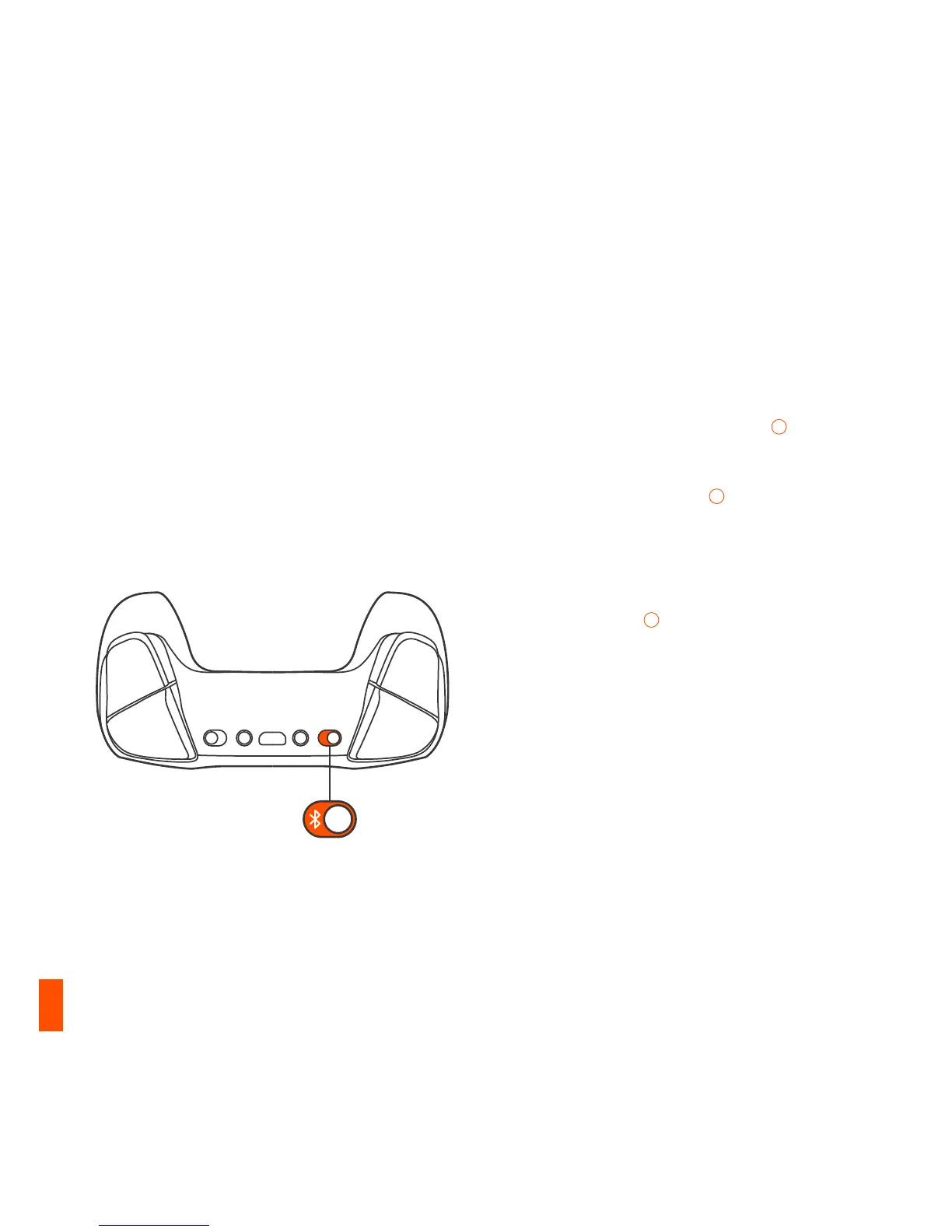
01 Slide the Wireless Mode Switch
10
to
Bluetooth
02 Slide the Power Switch
14
from Red to
Green to power on the Stratus Duo
03 On power up, your current battery level
will be displayed across the four player
indicator LEDs
03
for three seconds
04 All four LEDs will flash On and Off rapidly
when the controller is in pairing mode
05 To pair the Stratus Duo, go to your
Bluetooth Control Panel on your intended
device and connect SteelSeries Stratus Duo
06 If the controller has paired successfully,
the four player indicator LEDs will flicker
ON/OFF every 2 seconds to indicate
Connected Status. You are now ready to
play!



 To Next Page