8
find help at support.steelseries.com
Your Stratus Duo will remember the last device that it connected to via Bluetooth and automatically
repair. If you would like to force the Stratus Duo to re-enter pairing mode:
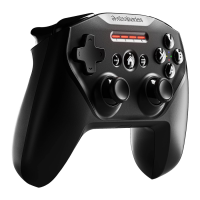
01 Press the Wireless Pairing Button
11
to
re-enter pairing mode
OR – to erase previous Bluetooth connections
01 Press & Hold the Wireless Pairing Button
11
for 5 seconds to erase previous Bluetooth
connection and re-enter pairing mode
02 All four LEDs will flash ON/OFF rapidly
when in pairing mode
03 Go to your Bluetooth Control Panel on your
device and choose SteelSeries Stratus Duo
04 Once paired successfully, the four LEDs
will flicker ON/OFF every 2 seconds.
RE-PAIRING YOUR STRATUS DUO IN BLUETOOTH MODE
PAIRING YOUR STRATUS DUO TO A NEW USB WIRELESS ADAPTER
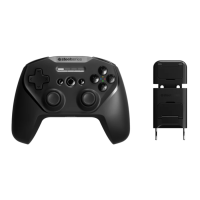
Note: Your Stratus Duo is already paired to the included USB Wireless Adapter
08
.
01 Slide the Wireless Mode Switch
10
to
2.4GHz and and Slide the Power Switch
14
from Red to Green to power on the
Stratus Duo
02 Press the Wireless Pairing button
11
03 Plug in the USB Wireless Adapter
08
to a
USB port on your PC
04 Once paired, your player number will light
up on the appropriate player indicator LED.



 To Next Page