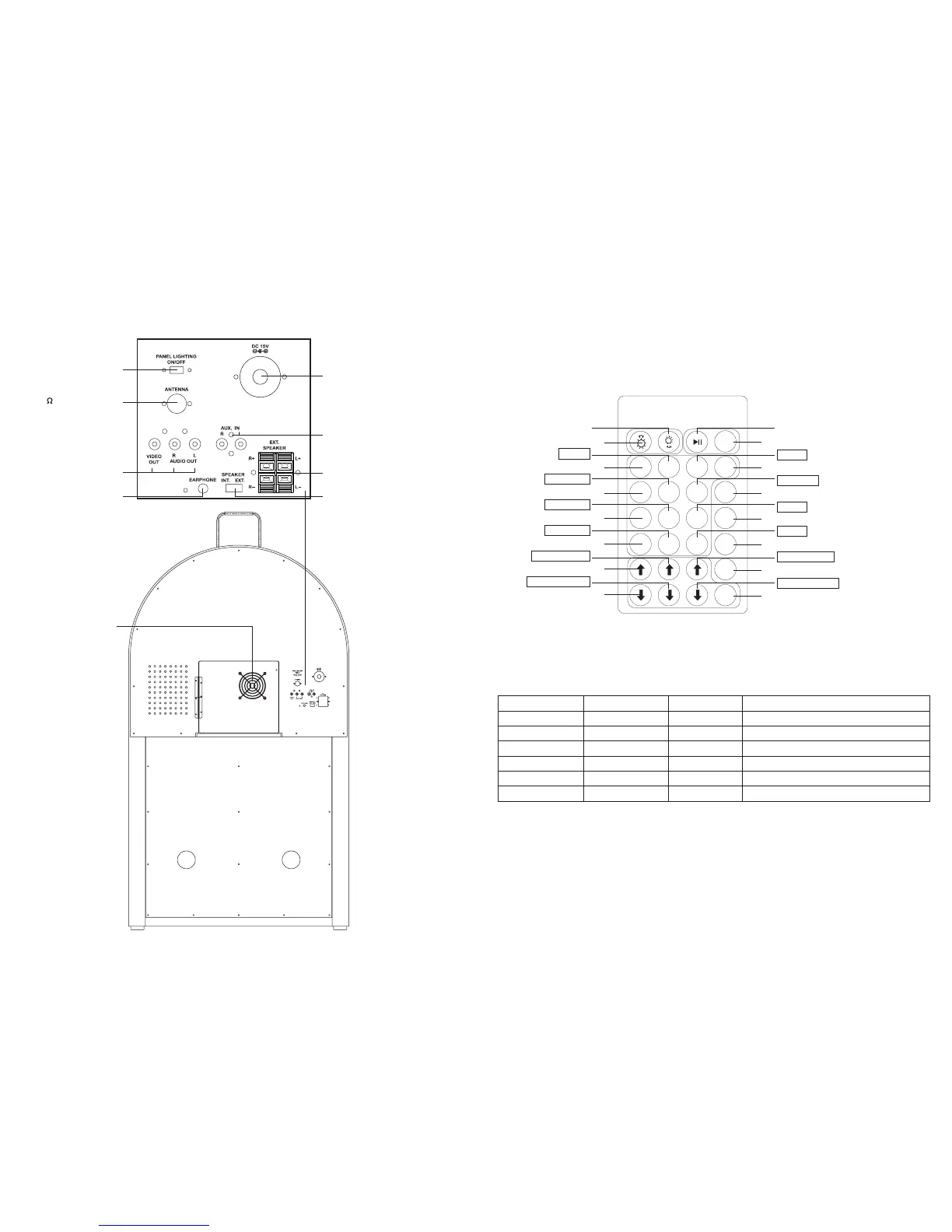
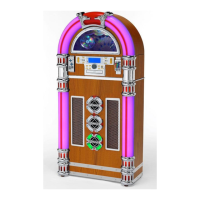
LOCATION OF PARTS
Run/Pause
BLUE (B)
DARK BLUE
BROWN
PINK
Increase BLUE
Decrease BLUE DIY (adjustment of colour by the user)
SMOOTH: 3-colour slow colour change -adjustable
FADE: 7-colour slow colour change -adjustable
STROBE: Colour fade out & fade in -adjustable
7-colour fast colour change
Dimmer (Press and hold + 5 seconds)
WHITE (W)
DIY (adjustment of colour by the user)
3- colour slow colour change
7- colour fade change - adjustable
colour fade in & out - adjustable
7- colour fast colour change
Play/Pause
blue
dark blue
brown
Pink
Increase blue
Decrease blue
Dimmer
white
COOLING FAN
VIDEO & AUDIO
OUTPUT JACK
AUDIO
INPUT JACK
DC INPUT JACK
PANEL BLUE LIGHTING
SWITCH(ON/OFF)
75 ANTENNA JACK
EXTERNAL
SPEAKER JACK
EARPHONE JACK
INTERNAL/EXTERNAL
SPEAKER SWITCH(INT./EXT.)
3
12
LED LIGHTING CONTROL FUNCTION
T
o control the LED lighting use the Infra-red Remote Control handset, which has 28 buttons, the function
of each button is as in the table below:
REMOTE CONTROLS - BUTTON
DESCRIPTION
(
Note: This handset can be stored on one of the front magnetic panels of
the cabinet, where indicated, provided that a metal battery has been fitted).
(2) LIGHTING REMOTE CONTROL
R G B W
FLASH
STROBE
FADE
SMOOTH
DIY
Brightness+(8 in all)
red
orange
dark yellow
yellow
Increase red
Decrease red
Brightness-(8 in all)
green
light green
Static cyan
light blue
Increase green
Decrease green
Brightness+ (8 in all)
RED (R)
ORANGE
DARK YELLOW
YELLOW
Increase RED
Decrease RED
Brightness- (8 in all)
GREEN (G)
LIGHT GREEN
BLUE
LIGHT BLUE
Increase GREEN
Decrease GREEN


 To Next Page