ENGLISH
■
EQ sections
The functions of the EQ section differ according to
the mode: Normal, Selecting EQ TYPE, and Operat-
ing Quick Control. Refer to the following table for
explanations of the function in each mode.
Normal mode
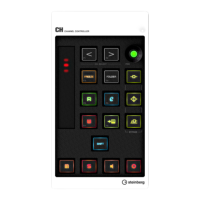
This mode lets you adjust the parameters of the 4-
band EQ built into the Audio track or Instrument
track.
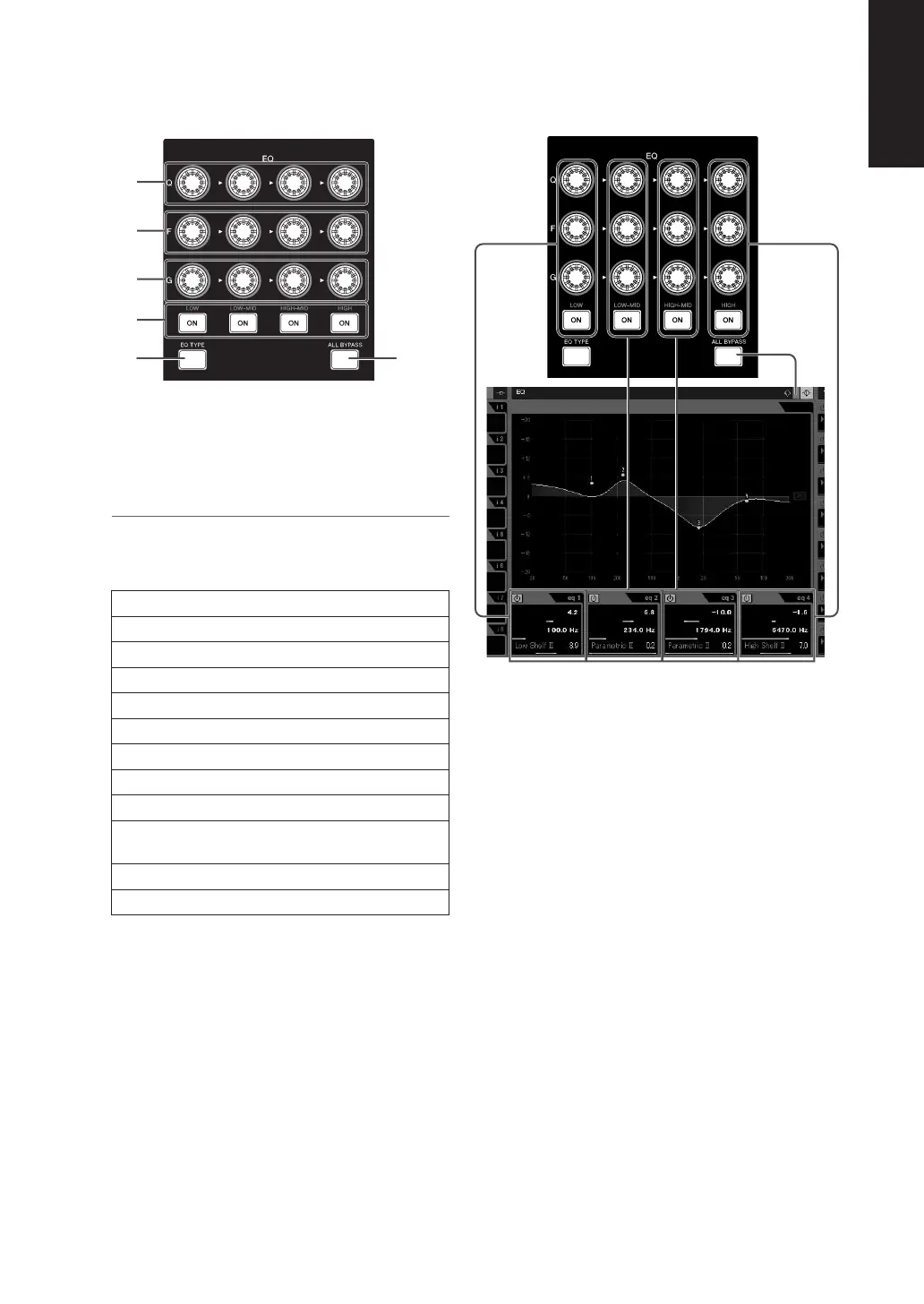
1
[Q] knobs
Adjusts the Q (bandwidth) of each EQ band.
2
[F] (Frequency) knobs
Adjusts the center frequency of each EQ band.
3
[G] (Gain) knobs
Adjusts the gain of each EQ band.
4
[ON] button
Tur ns each EQ band on or off.
5
[EQ TYPE] button
Enters the Selecting EQ TYPE mode. Refer to the
“Selecting EQ TYPE mode” for details.
6
[ALL BYPASS] button
Tur ns EQ bypass on or off.
1
2
3
4
56


 To Next Page