COUNTING FUNCTION
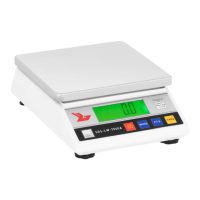
Put a number of countable parts on the scale (10, 20, 30, 40, 50, 60, 70, 80, 90, 100)
and then press PCS. You pass in counting mode. Press the PCS button to select the
number corresponding to the number of pieces set. Press the ON / OFF button to
conrm. Your balance is now in counting mode. To return to weighing mode, simply
press the MODE button.
IV. CALIBRATION (requires standard weight 5kg)
1. Hold the MODE button pressed for 4 seconds to switch to the calibration mode,
the total capacity of the scale is displayed.
2. Place the corresponding standard weight on the scale until the word „PASS“ is
displayed.
Your scale is then calibrated.
STANDARDS REQUIREMENTS:
• For scales of 7500g: 5 kg and 7.5kg
• For scales of 10000g: 5 kg and 10kg
V. TO RESPECT
1. Use the scale only as explained above in the technical details.
2. The unit should be leveled using the built-in spirit level.
3. Use the device on a stable and at surface. Protect the device from shocks, humi-
dity, radiations and magnetic elds.
4. If the screen does not show a stable result, make sure the support of the plat-
form is not damaged.
EN
12
MODE D’EMPLOI
BALANCES DE PRÉCISION
FR


 To Next Page