Introduction
Package Contents
The package of this product contains the
following items. After opening the package,
make sure that it includes everything listed
below.
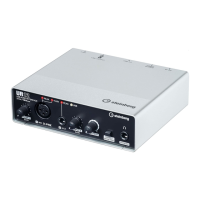
• UR12 Main unit
• TOOLS for UR12 CD-ROM
• Getting Started (this book)
• CUBASE
AI
DOWNLOAD INFORMATION (printed)
• USB cable
Disk Contents
The TOOLS for UR12 CD-ROM contains the
following.
Yamaha Steinberg USB Driver
This software allows communication
between the device and a computer. Make
sure to install it before you first use the
device.
Operation Manual {PDF)
The file [UR12_0perationManual_en.pdf]
(English Operation Manual)
is
in
the folder
[Documentation]. Drag and drop the file
onto the desktop.
NOTE
To
view PDF files, you need to install
Adobe
Reader on your computer.
You
can downloao
the latest version at the following website.
http://www. adobe.
com/
Manuals
Getting Started (this book)
Read this manual when setting up the
device. After finishing the setup as
indicated
in
this manual, read the Operation
Manual.
Introduction
Operation Manual
This
is
included
in
the TOOLS for UR12 CD-
ROM.
Read through this manual to
understand how to use the features of the
product.
Conventions
in
this
manual
Windows or Mac
When the procedures or explanations are
specific to only one of the platforms,
Windows or Mac, this
is
properly indicated
in
the manual. When the platforms do not
appear, procedures or explanations are for
both Windows and Mac.
Procedures
An arrow("-+")
is
shown for some
procedures
in
the manual. For example, the
string [Devices]
-+
[Device Setup]
-+
[Control Panel] indicates that you should
perform the procedures
in
the following
order.
1. Click the [Devices] menu.
2. Select the [Device Setup] option.
3. Click the [Control Panel] button.
Cubase
The phrase "Cubase"
in
this manual applies
to all Cubase programs and versions
(except Cubase
LE).
If
a specific version
is
indicated, the version
is
described
in
the
text.
Screens
This manual predominantly uses
screenshots of Windows. However, Mac
screenshots are used when instructions of
the function apply only to the Mac. Also, this
manual uses screenshots of Cubase 7.5.
If
you are using another version of Cubase,
the actual screenshots might not be the
same. For details, refer to the Cubase
UR
12 Getting Started 7


 To Next Page