6 / 25
Lancia Ypsilon Multimedia User Manual
Radio Mode Selection
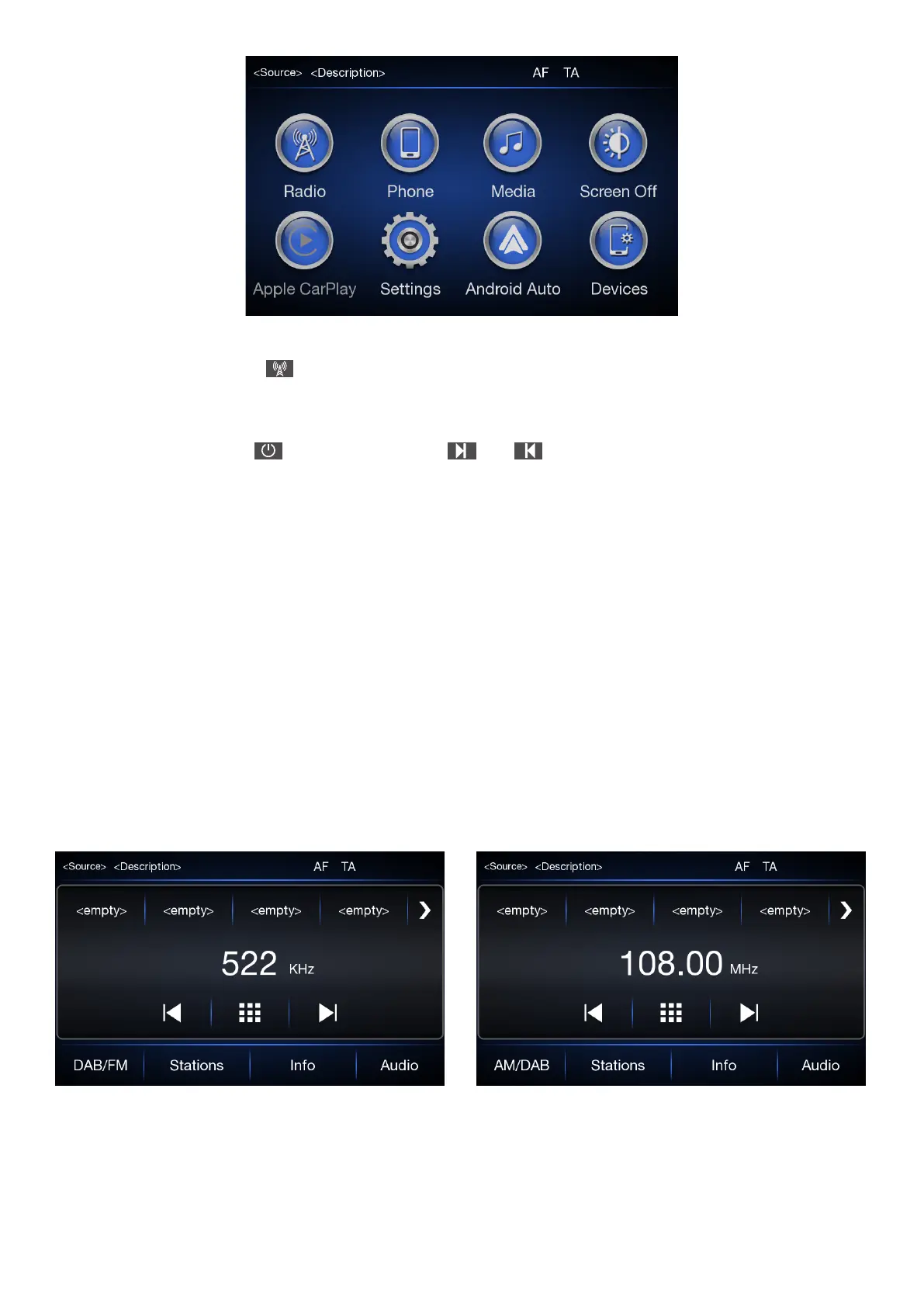
In radio main screen, press button on the front panel or “FM/AM, AM/DAB, DAB/FM” to switch to the
bands AM, FM and DAB (if available). Each tuning mode can have a specic preselection setting.
Radio Station Selection
In radio main screen turn button/knob or press and button on screen to search for the desired
radio station.
Displayed Information
After the desired radio station is selected on the display, the following information is shown:
At the top: the list of radio stations stored (preset) is displayed; the station being listened to is highlighted
only if it is among the ones stored in the preset.
In the middle: the name of the radio station being listened to and the buttons to select the previous or the
next radio station are displayed.
At the bottom: the following buttons are displayed:
» “FM/AM/DAB (if available)”: selection of the desired frequency band (button recongurable
according to the band selected: AM, FM, DAB (if available)).
» “Stations”: list of the available radio stations.
» “Info”: additional information on the source playing.
» “Audio”: access the “Audio setting” screen.



 To Next Page