1010
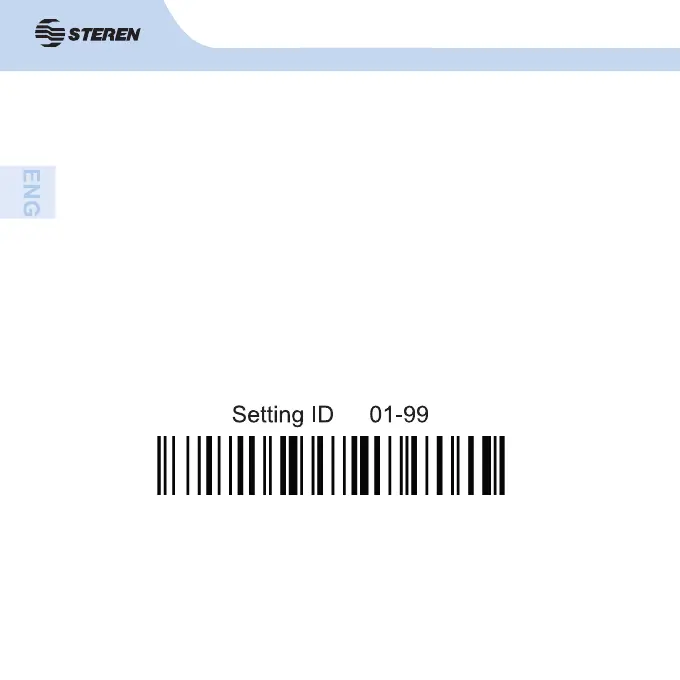
Scanner ID setting
The scanner ID can be from 01 to 99. To establish an ID, do the following:
1. Scan the code “Scanner ID setting 01-99”.
2. Scan codes of two numbers between 01 and 99.
Example: If you want to establish the number 23 as ID, fi rst scan the code
“Scanner ID setting 01-99” and then the number 2 and 3 codes.



 To Next Page