99
NFI
RATI
N
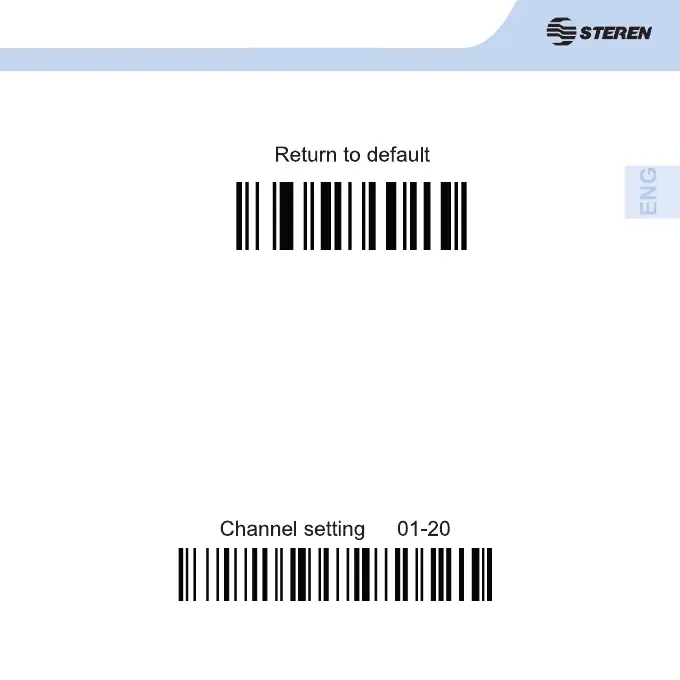
Channel setting
The scanner is linked with the receiver and has a default channel from its
production. If you want to change the channel, do the following:
1. Insert the receiver into your computer, and scan the code ‘Channel
setting 01-20’, do not exceed mora than 20 seconds.
2. Immediately scan the codes of two numbers between 0 and 9. The range
of the new channel can be from 01 to 20. (page 12).
Example: If you want to establish 06 as the new channel, after connecting the
receiver to the PC, scan the code “Channel setting 01-20”, then the number 0
and fi nally, scan code number 6 code.



 To Next Page