77
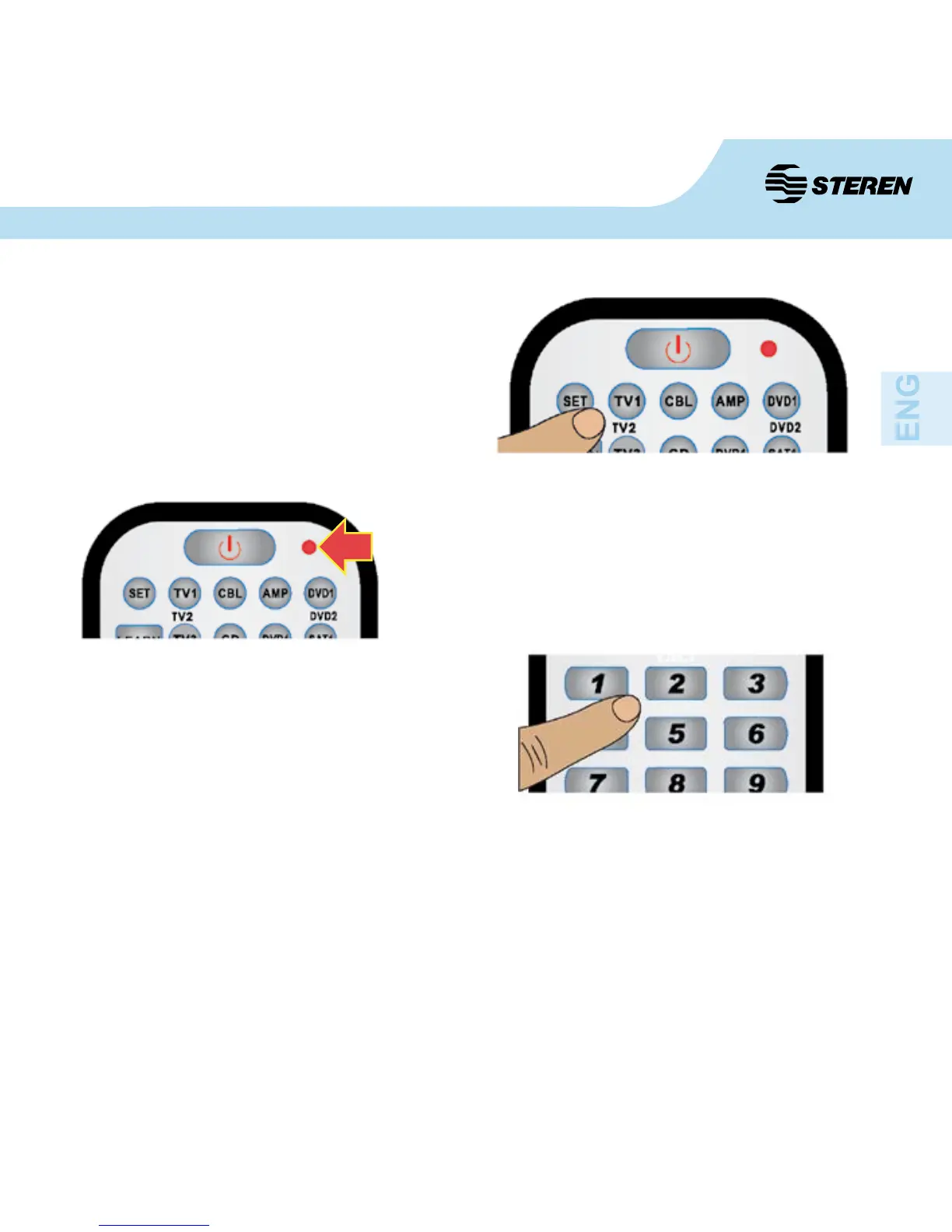
2. Press and hold the “SET” button and then press
the button corresponding to the device that you
want to control. For example: press the “SET”
button and “TV1” to select that button for your
television.
3. When the LED turns on, release the “SET”
and the “TV1” button (if you want to program
that device) at the same time.
4. Enter the four digits, e.g. code: 0102 in the
correct order as shown in the code list. Note: the
LED indicator will blink once every time you enter
a digit.
5 After concluding the digits input, the indicator light will go out.
6. Check the other programmed buttons and check its correct operation. If the buttons fail,
repeat the steps 2 to 5.


 To Next Page