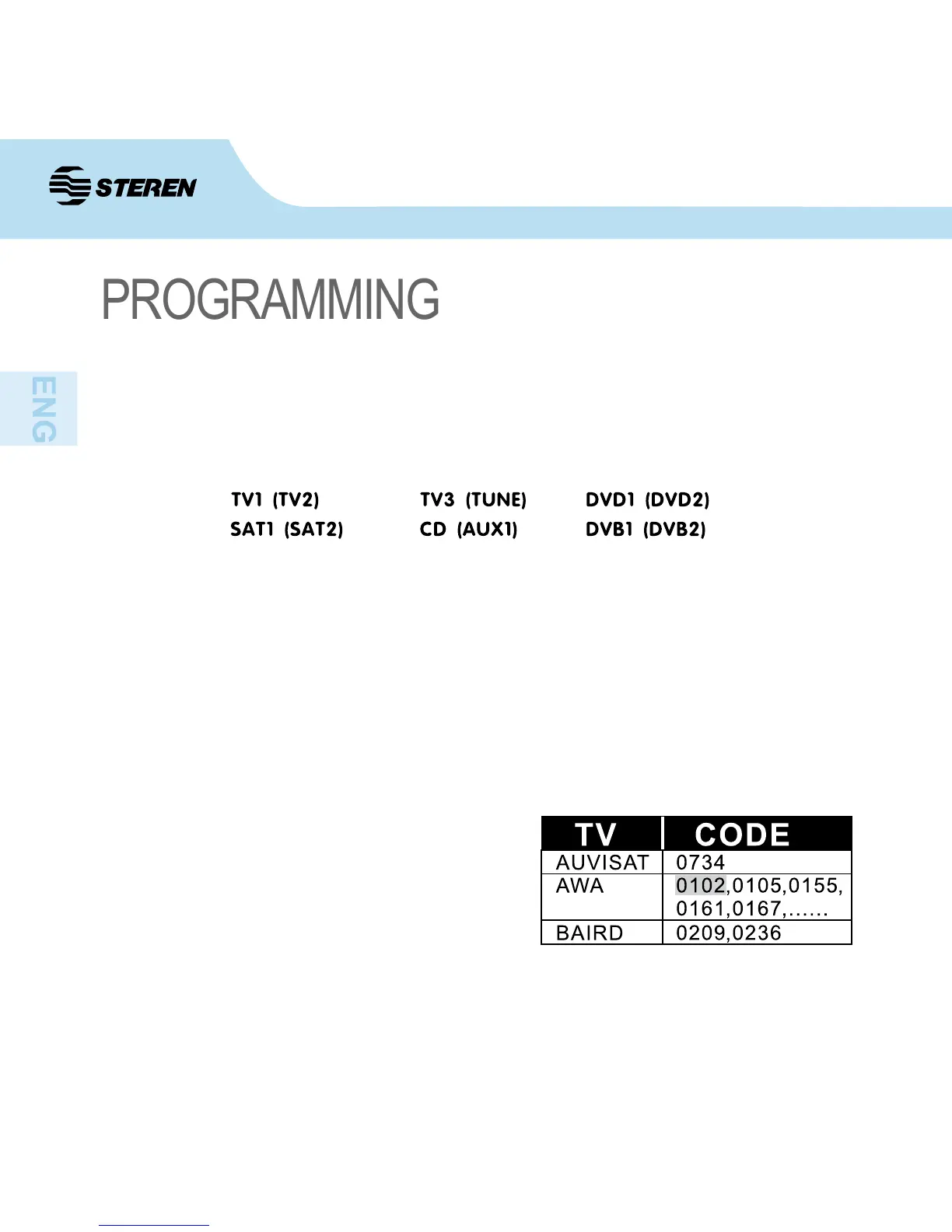
Change to composite buttons
Composite device: key which contains two modes (2 devices). The control has 6 keys
with this double function:
How to make the change between them is as follows:
Press once the composite device that you want to change to select the rst option which
would correspond to those of top listing outside the parentheses, the indicator light will come
on once for conrmation; press twice to select those inside the parentheses, the indicator
light ashes twice to show that you have chosen the second option.
A. How to enter codes
1. Search within the code list the electronic
equipment to be controlled. For example: If
your TV is an AWA, the rst set code will
be 0102.
Remote control settings


 To Next Page