4
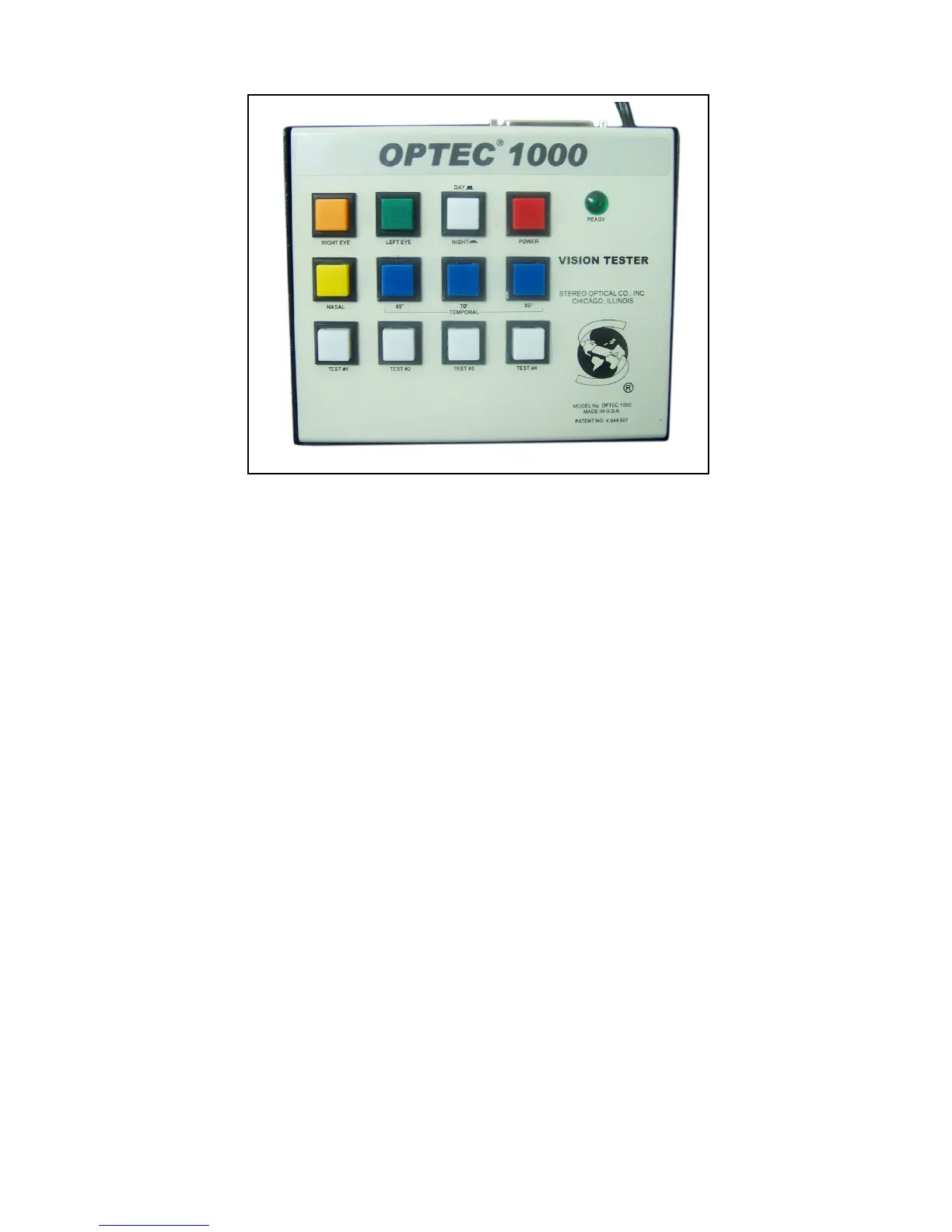
Figure #1
TOP ROW:
First: Right Eye Switch: Orange color; when the switch is turned
ON (depressed) the right eye will see the target, when the
switch is turned OFF (raised) the right eye will see nothing.
Second: Left Eye Switch: Green color; same as above. When both
switches are ON together, the subject will see with both eyes
(binocularly).
Third: Day/Night Control: White color; when this switch is raised,
daylight conditions are simulated in the instrument. When the
switch is depressed, night-time conditions are simulated in the
instrument.
Most testing is done under day-light conditions.
Fourth: Power Switch: Red color; this controls the power for the
instrument. Depressed, the power is ON. Raised, the power is
OFF.


 To Next Page