EasyManua.ls Logo

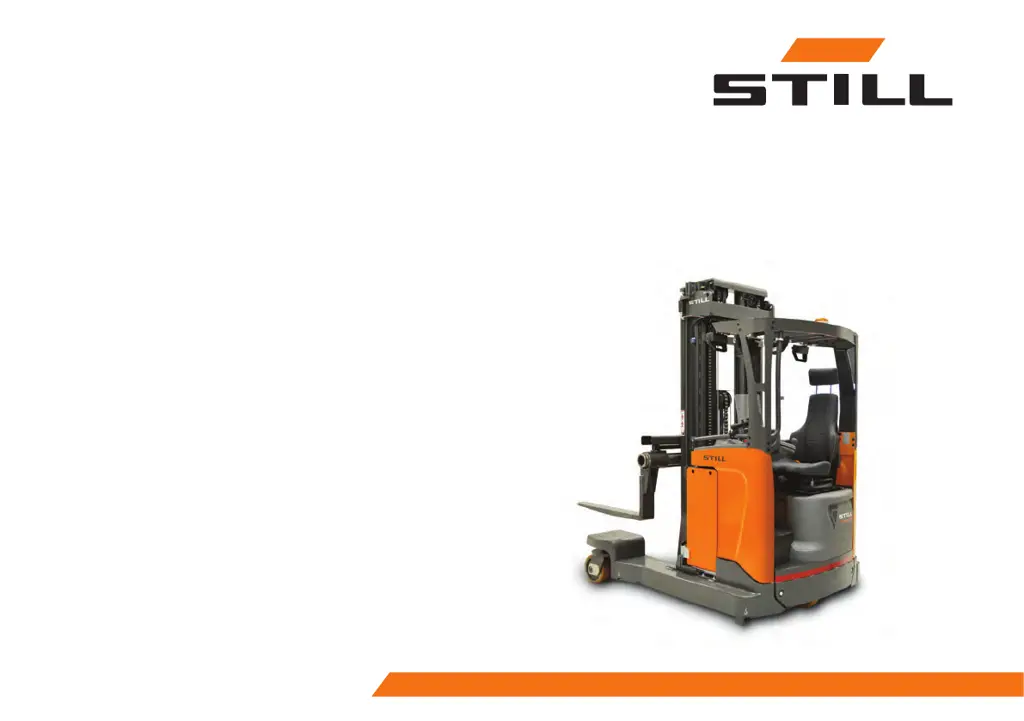
Still FM-4W 20 - User Manual

Still FM-4W 20
118 pages
Print Icon
To Next Page IconTo Next Page
Loading...
first in intralogistics
Original instructions
Reach truck
FM-4W 20
FM-4W 25
EN - 260048 - 03/2024
Publication No: OM24GBRE1AR7

Questions and Answers

  • M
    Mallory WrightAug 10, 2025
    Why won't my Still Trucks start?
    • K
      Kenneth TapiaAug 10, 2025
      Your Still Trucks might not be starting due to several reasons: the battery plug may not be inserted (insert the battery plug); the emergency stop button may be pressed (pull up the button for the emergency stop); the battery capacity might be too low (charge the battery); a fuse could be defective (change the defective fuse); the key switch is set to "0" or the truck is not logged on (turn the key switch to position "I" or enter the appropriate Operator ID and password); the truck is not ready for use (carry out all the actions under the heading "The truck will not start"); the left foot switch has not been pressed in (press in the left foot switch).
  • K
    kristinmcdanielAug 25, 2025
    What to do if Still Trucks won't lift the load?
    • S
      Scott JohnsonAug 26, 2025
      If your Still Trucks won't lift the load, it could be due to several reasons: The truck is not ready for use (carry out all the actions under the heading "The truck will not start"); the hydraulic oil level is too low (check the level and top up the hydraulic oil); the battery capacity is below 20% (charge the battery); the pump fuse is defective (change the defective pump fuse); the load is too heavy (reduce the load Refer to the maximum permitted weight on the load limit plate); the driving seat switch is not activated (sit in the driving seat while operating the levers).

Still FM-4W 20 Specifications

General IconGeneral
ModelFM-4W 20
Power sourceElectric
Load Capacity2000 kg
Battery Voltage48 V
Load Capacity (kg)2000 kg
Power TypeBattery

Related product manuals