Reverse travel
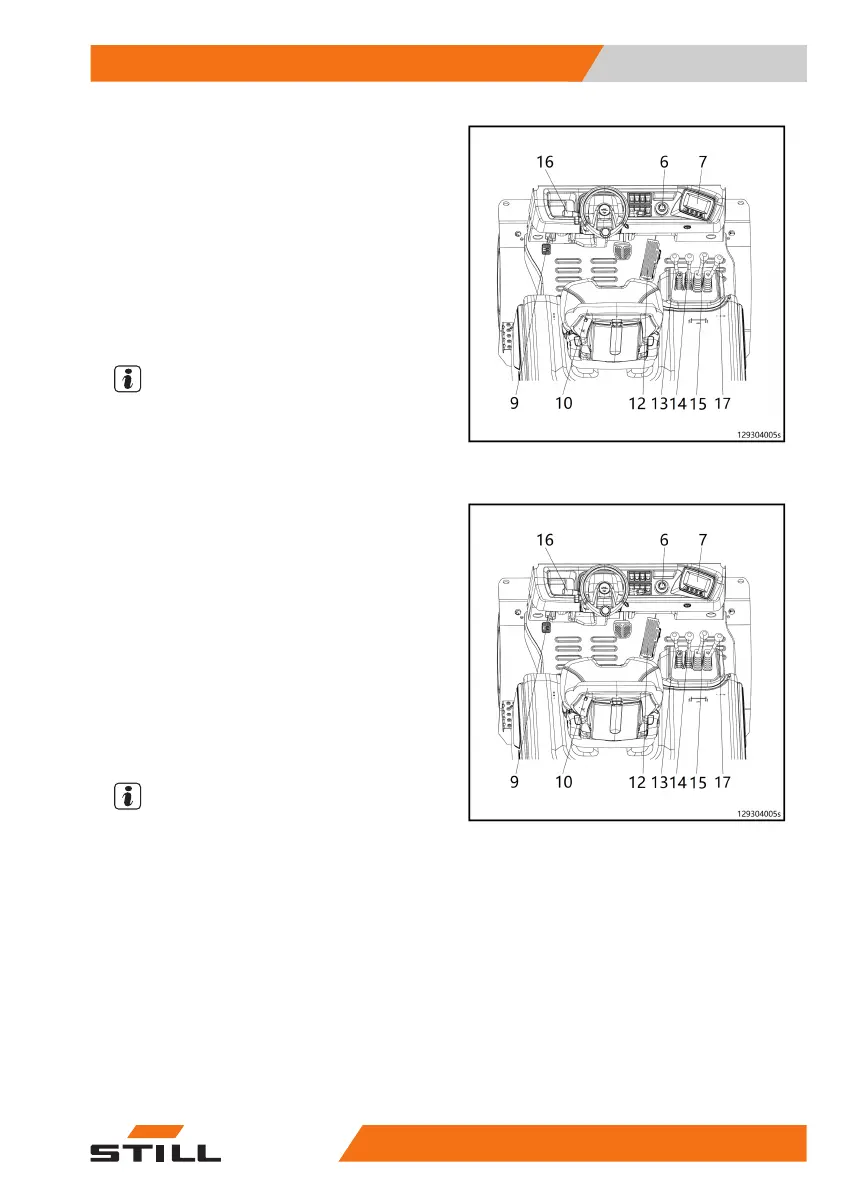
– Set the reversing handle (16) to the reverse
position.
– Smoothly depress the right-hand accelera-
tor pedal (12).
The display unit displays the reversing sym-
bol.
Driving speed accelerates in relation to the
increase in pedal travel.
NOTE
Rapidly depressing the pedal will not change
the acceleration, as the maximum acceleration
is controlled automatically.
Changing the drive direction
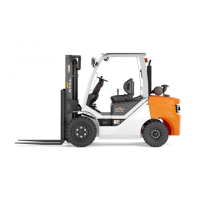
– Release the accelerator pedal (12).
– Pull the reversing handle (16) in the oppo-
site direction.
– Depress the accelerator pedal (12) again to
reverse acceleration.
The reversing handle can switch directly from
forward to reverse without the accelerator
pedal being released. The truck will slow to
a halt using electrical braking and then accel-
erate in the selected direction.
NOTE
Rapidly depressing the pedal will not change
the acceleration, as the maximum acceleration
is controlled automatically.
Operation
4
Driving
875001 801 1627EN-03/2023 - 03


 To Next Page