3 Overviews
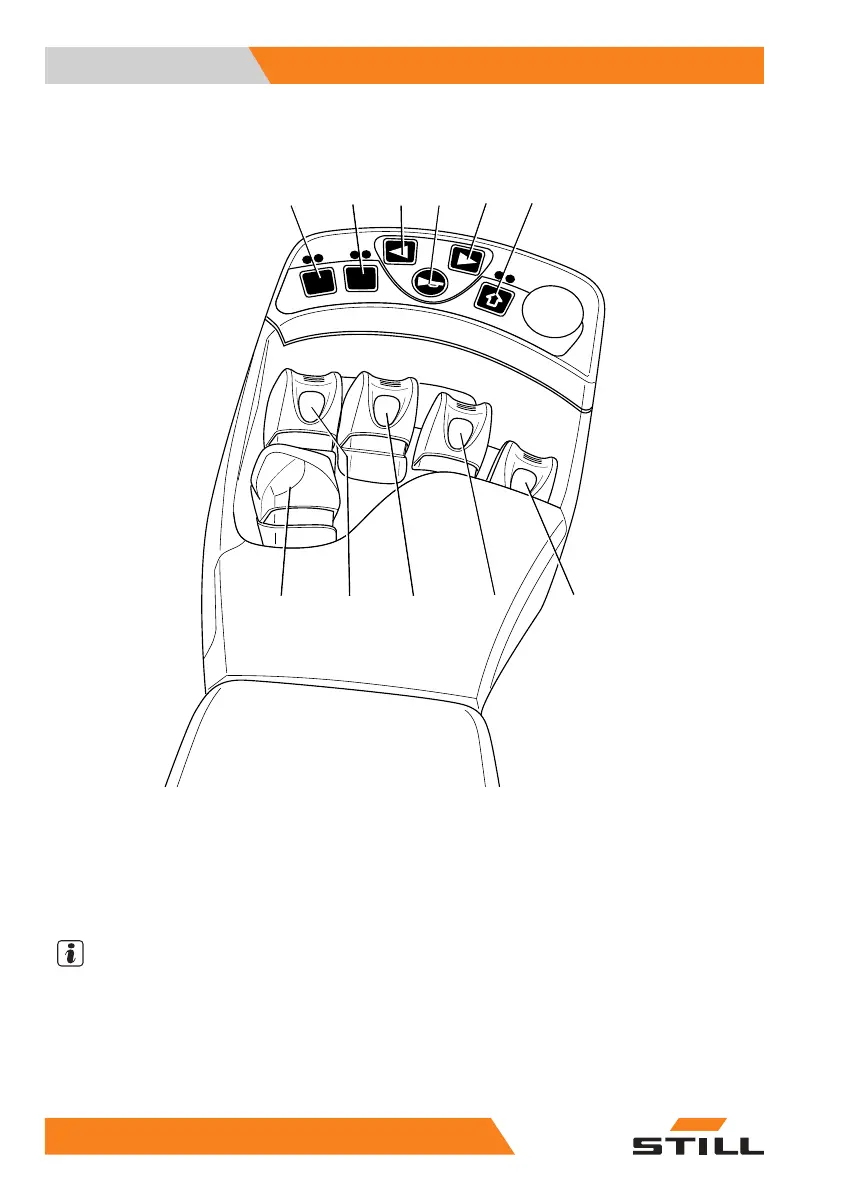
Operating and display elements
Fingertip
F1
F2
7325_003-028
1
23456
78
9
10
11
1 Function key F1
2 Function key F2
3 Left turn indicator button
4 Signal horn button
5 Right turn indicator button
6 Function key "5th function"
7 "Attachments" operating lever
8 "Attachments" operating lever
9 "Tilt" operating lever
10 "Lift/lower" operating lever
11 Drive direction switch
NOTE
Depending on the equipment, various electric
attachment parts can be controlled via function
keys (1) and (2). Changes must only be made
by the STILL service centre.
64 1
74749 EN - 03/2017



 To Next Page