11
AUS
AFTER SALES SUPPORT
1300 112 534
tempo.org/support
MODEL: AFD24L PRODUCT CODE: 708457 03/2022
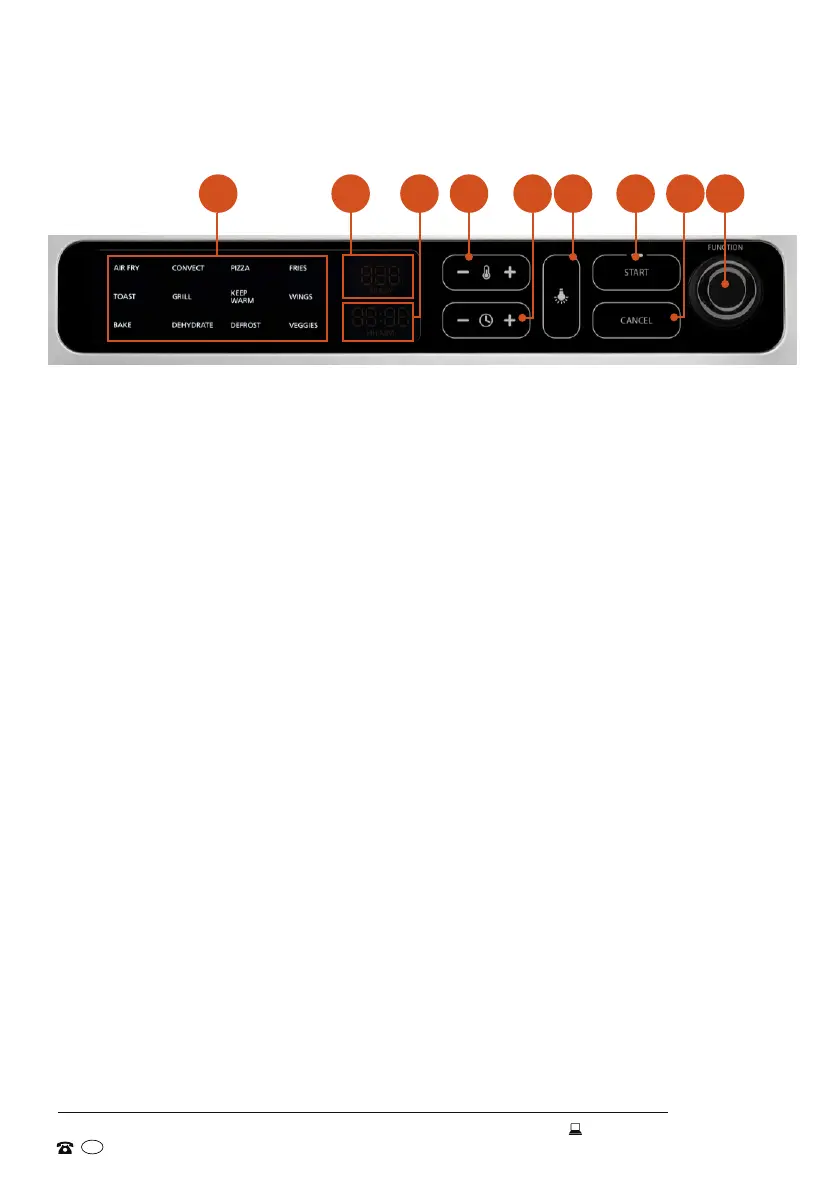
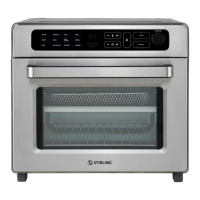
Control panel
Product Overview (Cont.)
A Program indicators
These indicators light up when the respective program is selected.
B Temperature display
Shows the set temperature in degrees Celsius or Fahrenheit
C Time display
Shows the time remaining in hours and minutes
D Temperature button
Press the [ - ] or [ + ] button to adjust the cooking temperature.
E Timer button
Press the [ - ] or [ + ] button to adjust the cooking time.
F Interior light
Press this button to turn on the interior light.
G START button
Press this button to start a function once it is selected.
H CANCEL button
Press this button to cancel a setting.
I FUNCTION dial
Rotate this dial to select a function: Air Fry, Convection Bake, Pizza, Fries,
Toast, Grill, Keep Warm, Wings, Bake, Dehydrate, Defrost, Veggies. The
respective function icon will illuminate on the LED display when selected.
A B C D E F G H I


 To Next Page