Getting Started (Cont.)
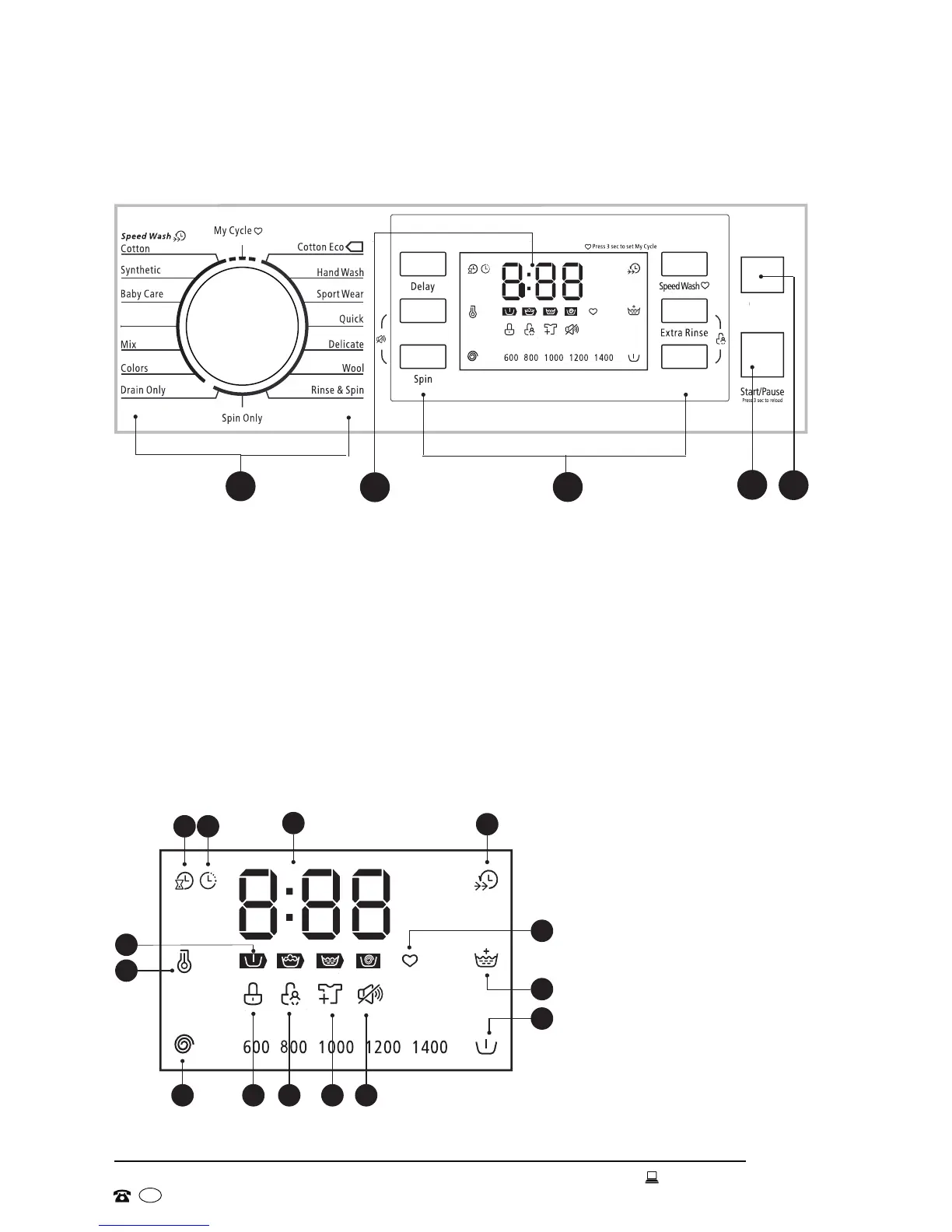
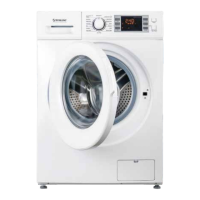
Control panel
1 Programs: The program dial lets you select your desired wash program.
2 Display: The display shows the settings, estimated time remaining, options and
status messages for your washer (see Fig. 15 for more detail). The display will
remain on for the length of the program.
3 Options: These buttons allow you to select an additional function or change a
default option. The options will illuminate on the display once selected.
4 Start/Pause: Press this button to start or pause the wash cycle.
5 Power: Press this button to switch the washer on or off.
Fig. 15
Display
D
A B
C
H
E
F
G
L
IJK
M
N
A Remaining time
B Delay time
C Speed wash
D My cycle
E Extra rinse
F Prewash
G Mute buzzer
H Reload
I Child lock
J Door lock
K Spin speed
L Temperature
M Rate of progress (prewash,
wash, rinse, spin)
N Digital display (wash or
delay time, error messages,
end notification)
Fig. 14
2
5
4
1
3
Power
Prewash
Intensive
Temperature


 To Next Page