14
AFTER SALES SUPPORT
1300 886 649
info@tempo.org
AUS
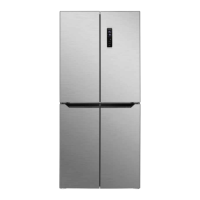
MODEL: STR-H470FF PRODUCT CODE:7585 04/2019
Instructions (Cont.)
Operation modes
The appliance can be set to four different operation modes:
Eco —> Holiday —> Super Freezing —> Customised.
• To choose the desired operation mode, touch the MODE control, repeatedly,
until the desired mode is displayed (there is no icon for the Customised mode). The
relevant indicator will flash for 5 seconds, which indicates that the mode has been set.
• To exit the set mode, touch the MODE control and select a different mode.
Eco mode
This is the recommended mode for normal, day-to-day operation. In Eco mode, the
appliance maintains the temperature in the fridge compartment at 5°C and in the
freezer compartment at -18°C. The FRIDGE and FREEZER controls are ineffective.
Holiday mode
This is the recommended mode for when you are on holidays and want to switch off
the fridge. In Holiday mode, the appliance maintains the temperature in the fridge
compartment at 17°C, which means there is no refrigeration, and the FRIDGE control
is ineffective. The freezer continues to run, keeping your frozen food frozen.
Super Freezing mode
We recommend you select Super Freezing mode when are you have added large
amounts of fresh food to the freezer for fast freezing. In Super Freezing mode, the
temperature in the freezer compartment drops to -25°C and the FREEZER control is
ineffective. The temperature is maintained at -25°C for 50 hours, or until you exit the
mode.
Customised mode
In Customised mode, the temperature in the freezer and fridge compartments can be
set individually to suit your specific needs. The other mode indicators will be off.
Operation control feedback
Every touch of an operation control will be acknowledged with a short beep.
Control panel lock
• To lock the control panel, touch and hold the MODE control for 3 seconds until a
beep acknowledges that the control panel is now locked.
• To unlock the control panel before any operation, touch and hold the MODE
control for 3 seconds until a beep acknowledges that the control panel is now
unlocked and all controls are functional.
• Auto lock: After 25 seconds of inactivity, the control panel will be locked
automatically. Tochangeamodeoradjustatemperature,youmustrstunlock
the control panel by pressing and holding the MODE control for 3 seconds before
entering the required operation steps.


 To Next Page