13
AFTER SALES SUPPORT
1300 886 649
info@tempo.org
AUS
MODEL: STR-H470FF PRODUCT CODE:7585 04/2019
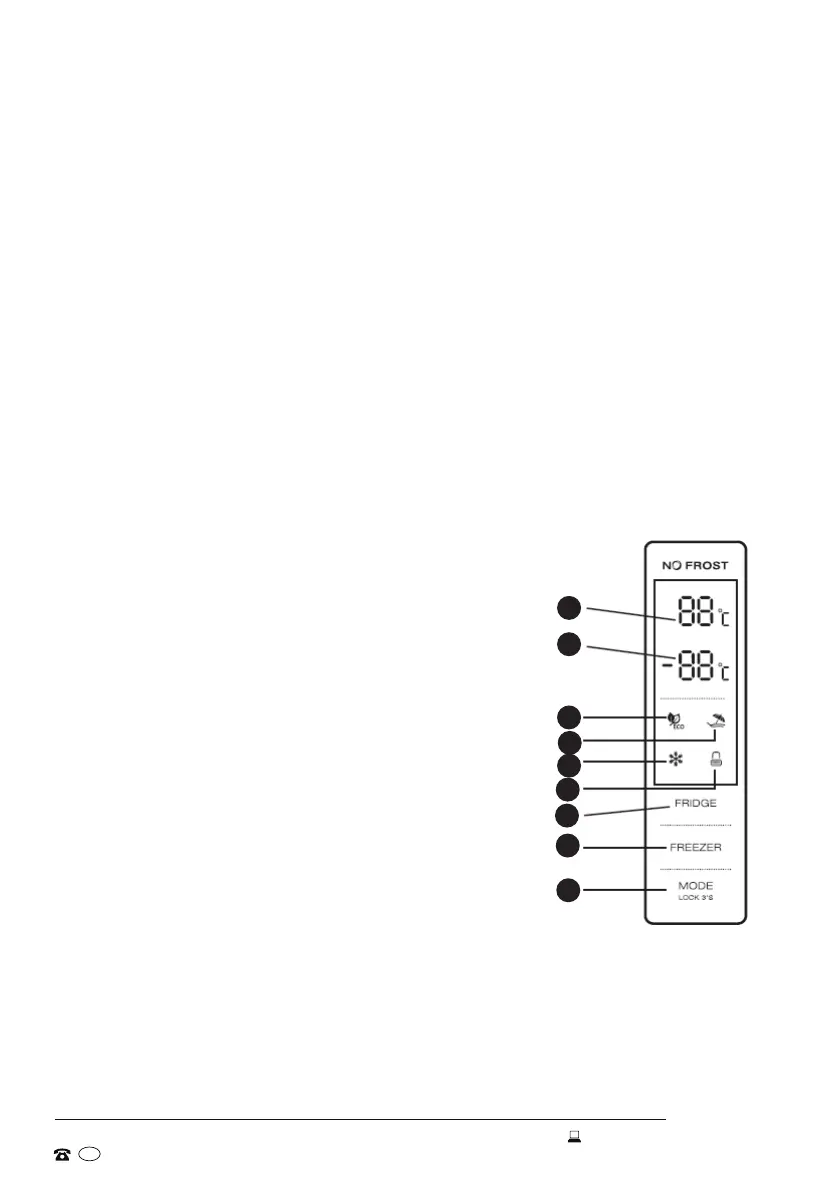
Control panel
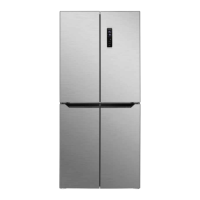
The control panel (Fig. 10) is located on the outside door of the refrigerator compart-
ment. It enables you to view and adjust the temperature in the fridge and freezer
compartments, select an operation mode or lock the control panel.
• The control panel display lights up for 2 minutes once the door of the fridge or
freezer compartment is opened (one door signal is sensed at a time), or when any
control is pressed.
• On first connection, the display shows the factory default (preset) temperatures for
the fridge and freezer compartments. During normal operation, the temperature
displays of the fridge and freezer compartments indicate the temperature of the
current settings.
• The control panel will be locked automatically 25 seconds after the last control
panel operation, and the control panel illumination will extinguish 2 minutes
thereafter.
LED display
1 Temperature (of the fridge compartment)
2 Temperature (of the freezer compartment)
3 Eco mode indicator
4 Holiday mode indicator
5 Super Freezing mode indicator
6 Locked / unlocked indicator
Operation controls
A Fridge temperature control
B Freezer temperature control
C Mode / locking / unlocking
Instructions
1
2
3
4
5
6
A
B
C
Fig. 10


 To Next Page