FP-CLD-WATSON1: Registered mode
Create dashboard to visualize data (3/4)
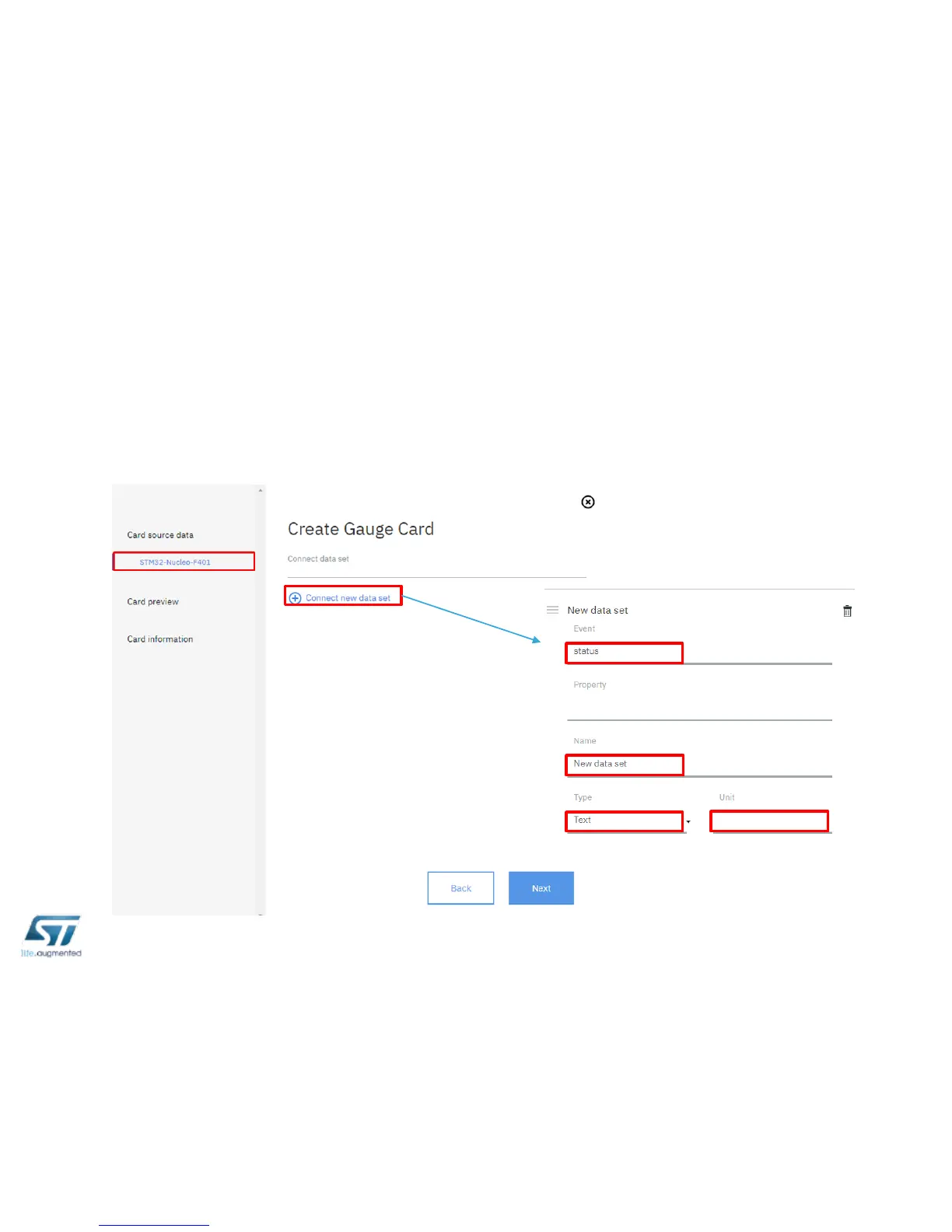
• Select Card Type, click on your device ID, then click on Connect data set.
• Select status as Event; select one among data set available in the
messages received, select type and unit of the data set, then click Next



 To Next Page