17
www.stobag.com
Operating instructions
CASABOX | CAMABOX | TENDABOX | SELECT
Operating instructions
CASABOX | CAMABOX | TENDABOX | SELECT
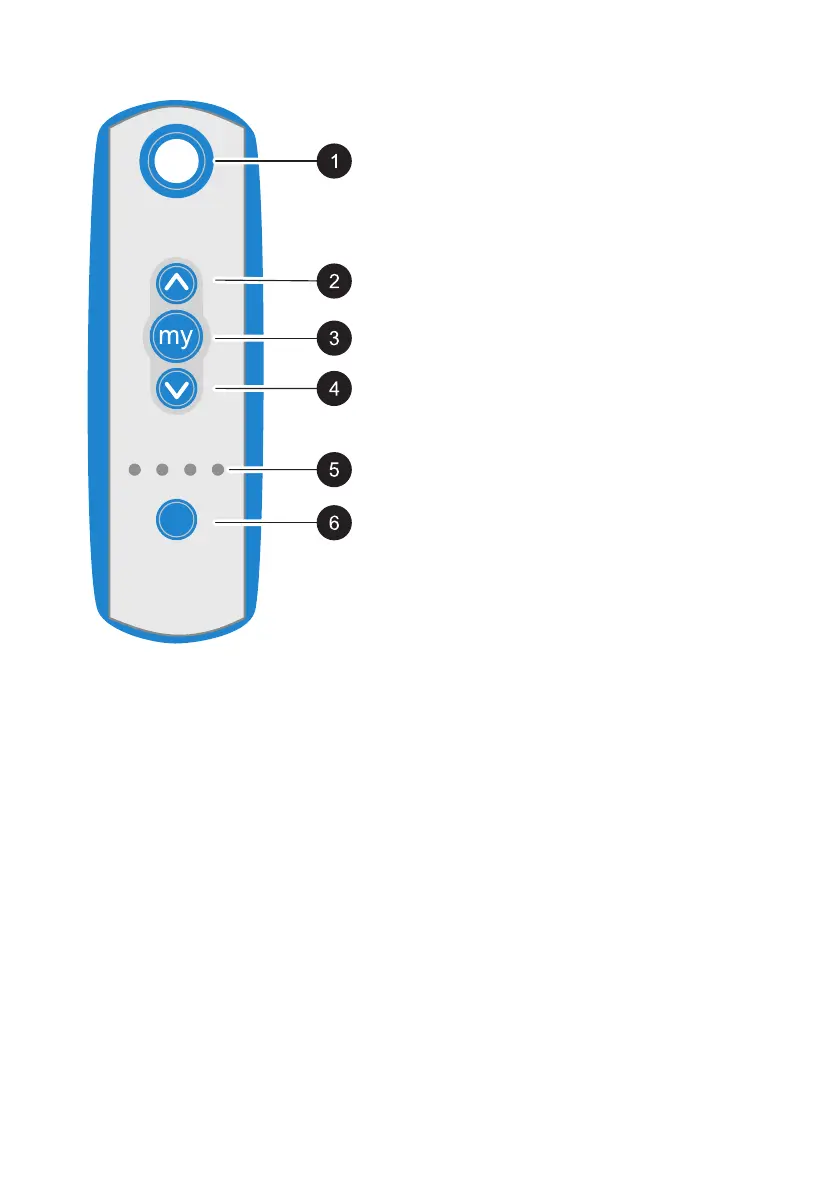
Remote control overview
1 Handle for hanging the remote control
2 UP operating button: Retract.
3 MY Operating button: Stops the moving fab-
ric panel. Moves the fabric panel to the pro-
grammed position.
4 DOWN operating button: Extend.
5 Channel selection diodes
6 Operating button: Channel selection button.
The awning is controlled using the remote con-
trol. The remote control controls up to four prod-
ucts (e.g. multiple awnings) on the facade or mul-
tiple products in up to four groups.
For more information, see: “Remote control op-
erating instructions”



 To Next Page