Document version 2.1 Document No. 6939-170 Page 12
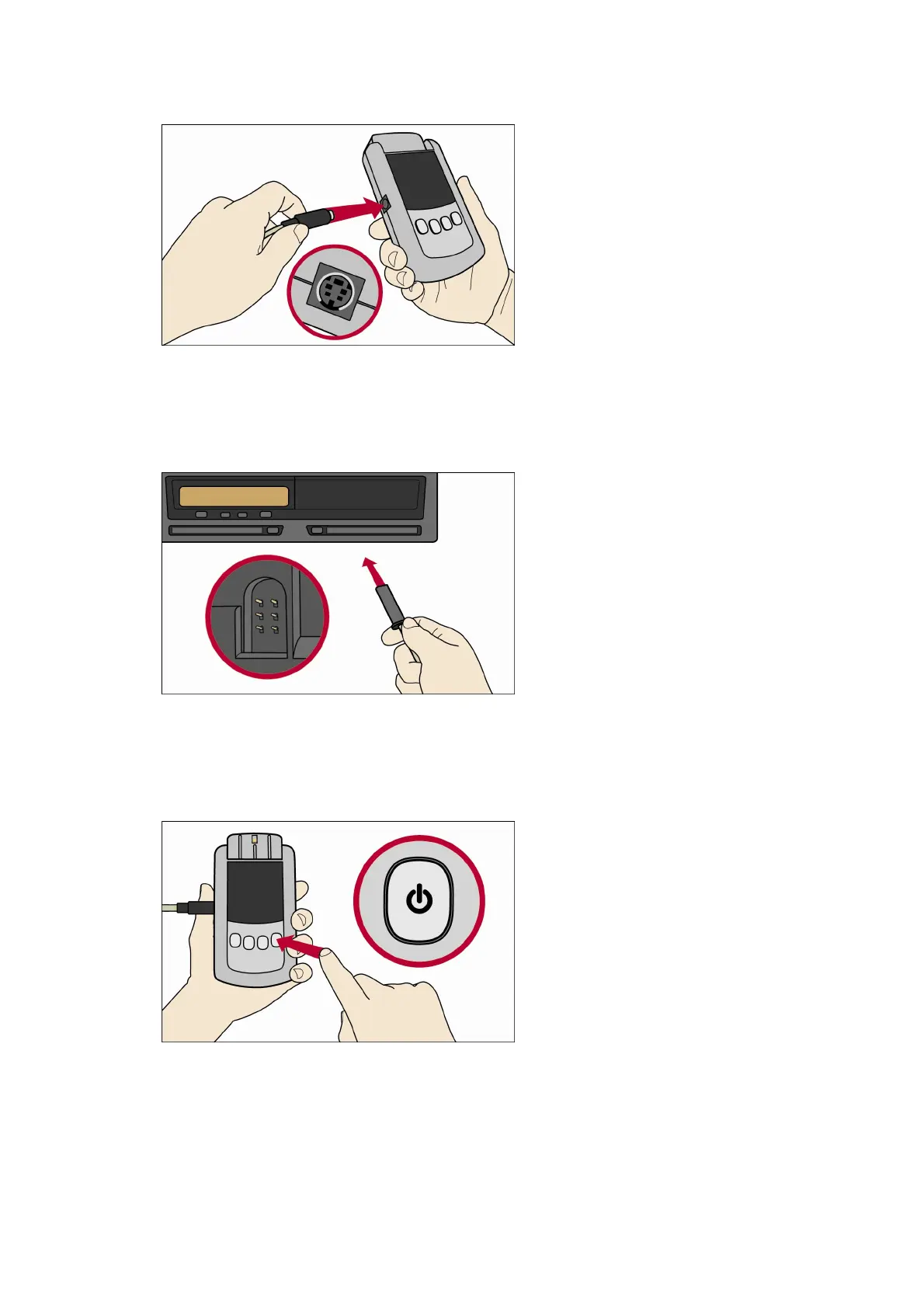
1. Insert the VU cable into the VU connector socket B of the Download Tool.
2. Insert the other end of the VU cable into the 6 pin download connector of the VU.
3. Switch on the Download Tool (Press and hold the Power Button for approximately 3 seconds).
4. Press the Power Button once more. Note it must be a short press or the tool will switch off.



 To Next Page