Document version 2.1 Document No. 6939-170 Page 7
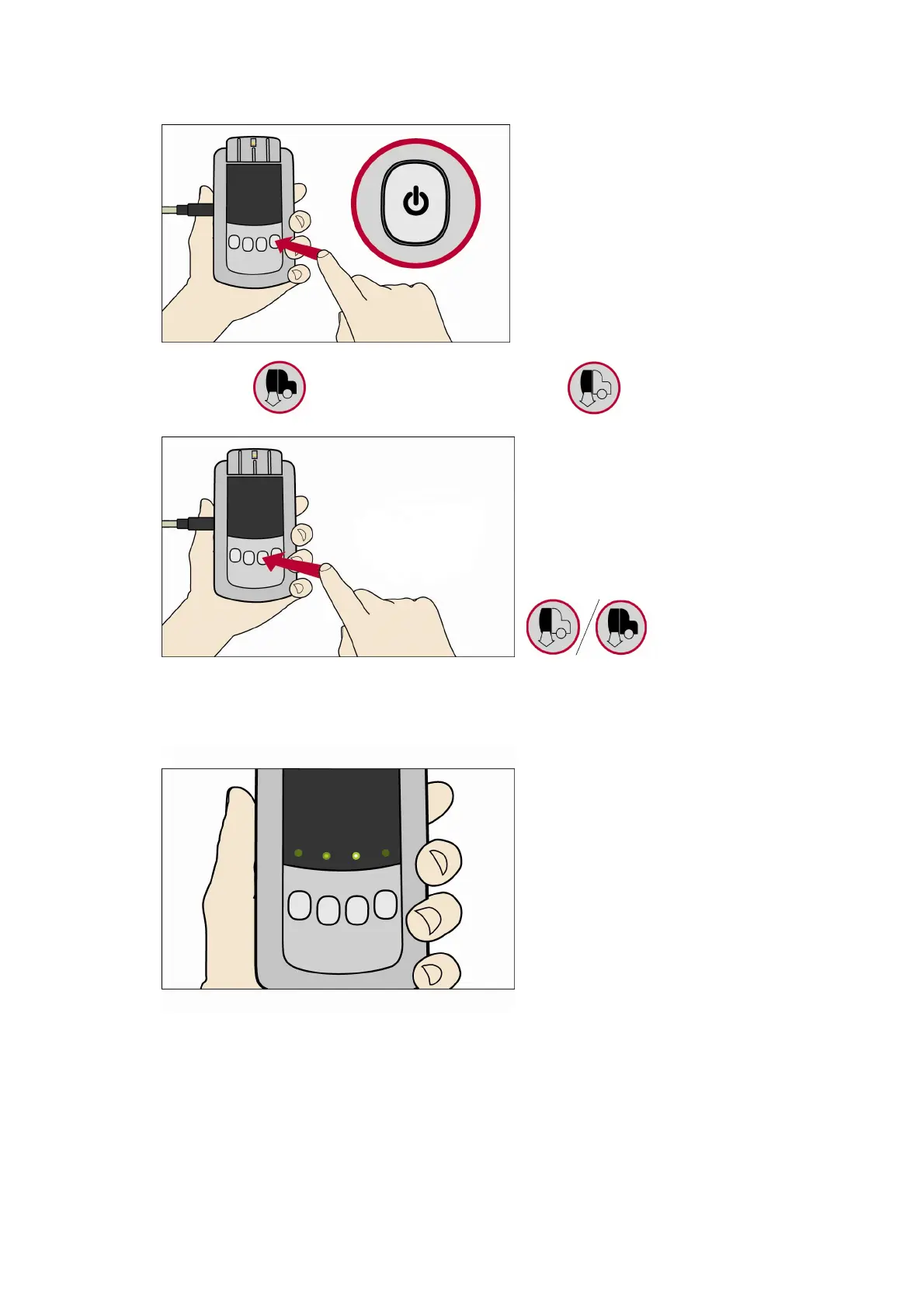
3. Switch on the Download Tool (Press and hold the Power Button for approximately 3 seconds)
4. Press the Button for a Full VU download, or the Button for a partial download.
5. As the download is performing the green lights will flash back and forth. Please allocate plenty
of time when performing VU Downloads as considerably more information is being handled than
when performing a smart card download.
6. If the download is successful a static green light will remain above the VU button that was
pressed.



 To Next Page