Document version 2.1 Document No. 6939-170 Page 9
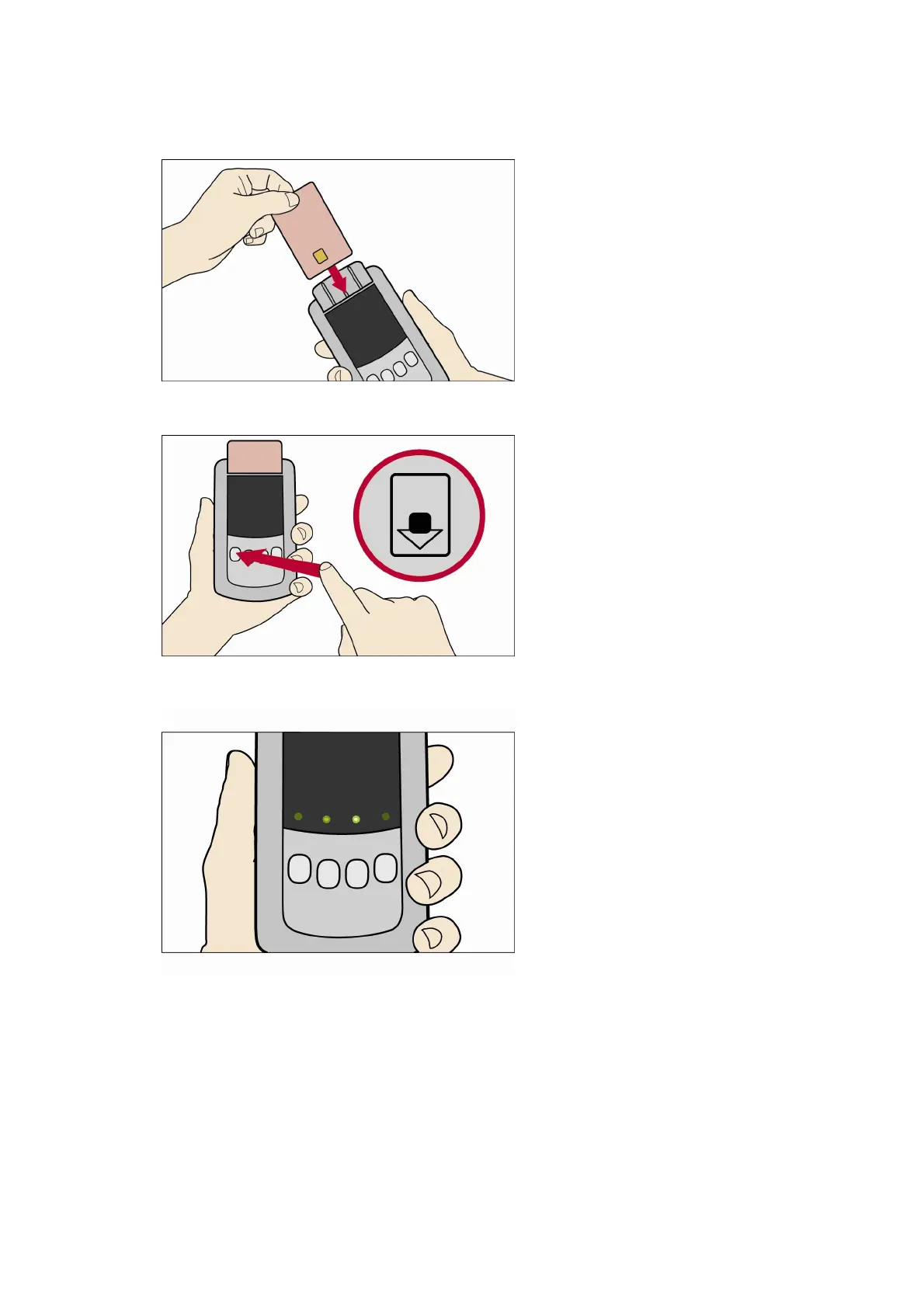
2. Insert the Smartcard into the Download Tool into the smartcard slot. Ensure the chip on the
card is face up and pointing down (as displayed in the image on the Download Tools Smartcard
slot)
3. Press the Smartcard download button.
4. As the download is performing the green lights will flash back and forth.
5. If the download is successful a static green light will remain above the Smartcard Button that
was pressed.



 To Next Page