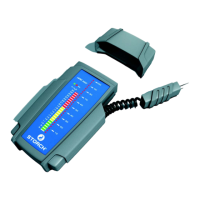
54
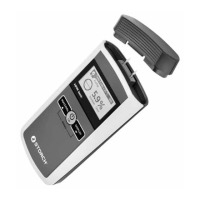
Device description and LCD display
HPM basic - overview of functions and controls
1. Cover cap
2. Display
3. Power button - menu confirmation button
4. Material selection button
5. Display tilt function button
6. Menu button (simultaneously press the material and dis-
play buttons)
Replacing the batteries
1. Push the battery compartment slider downwards
2. Insert the batteries and observe polarity (+/-)
3. Position the compartment and close it by pushing it
upwards until it re-engages
1
2
4
3
5
6


 To Next Page