Rev: 2020 – 3A ©2020 Store It Cold, LLC 4
KNOWING YOUR COOLBOT
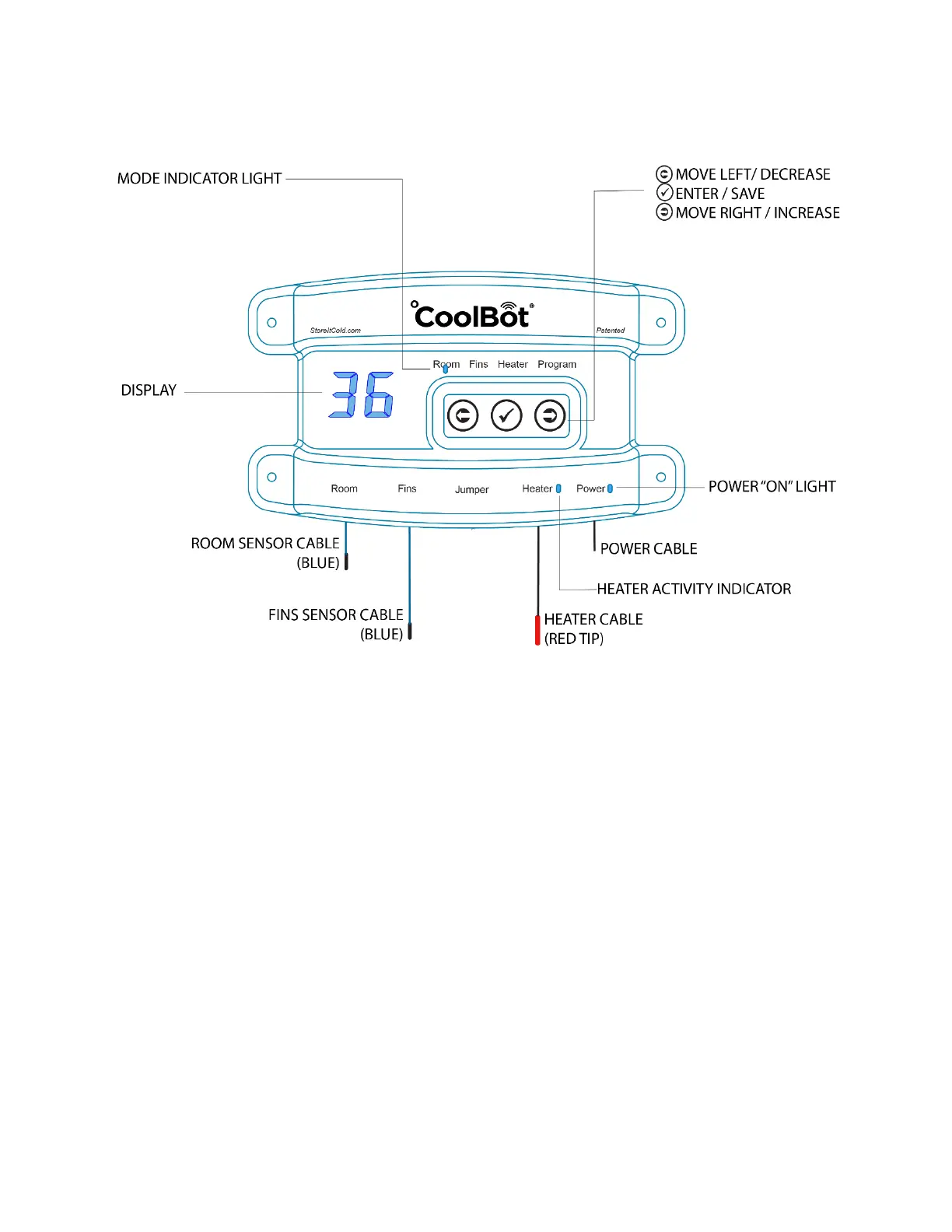
DISPLAY:
The display changes depending on which Mode Indicator Light is illuminated.
MODE INDICATOR LIGHT:
Shows which mode you are currently using.
Change modes by pressing the left or right arrow keys.
Room Mode: While in normal operation, the display shows the current room temperature and the Room
Mode Indicator Light is solid (no blinking).
Fins Mode: From the Room Mode, press the right arrow once to access the Fins Mode. The light above “Fins”
will turn on solid (no blinking). The display will show the current fins’ (A/C’s coil) temperature.
Heater Mode: From the Room Mode, press the right arrow twice to access the Heater Mode. The light above
“Heater” will turn on solid (no blinking). The display will show an “F” for Fahrenheit or a “C” for Celsius.
Program Mode: From the Room Mode, press the right arrow 3 times to access the Program Mode. The light
above “Program” will turn on solid (no blinking). The display will show a number (e.g. 7.9), which will be the
firmware version on your CoolBot Pro.
POWER INDICATOR LIGHT: This light is constantly on (solid), as long as your CoolBot Pro is plugged in and getting the
correct power supply (110V-230V).
HEATER ACTIVITY INDICATOR: When the CoolBot Pro is “calling for cooling” this light will blink slowly. It will stop
blinking if the room temperature has reached the “set point” or the fins are reaching the defrost set point.





 To Next Page