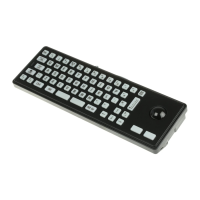
1200 Sub-miniature keyboard for public environments
Application / Engineering Manual
This document is provided for use and guidance of engineering personnel engaged in the installation or application of STORM data entry
products manufactured by Keymat Technology Ltd. Please be advised that all information, data, and illustrations contained within this document
remain the exclusive property of Keymat Technology Ltd. and are provided for the express and exclusive use as described above. This
document is not supported by Keymat Technology’s engineering change note, revision or reissue system. Data contained within this document is
subject to periodic revision, reissue or withdrawal. Whilst every effort is made to ensure the information, data and illustrations are correct at the
time of publication, Keymat Technology Ltd. are not responsible for any errors or omissions contained within this document.
1200 Application/Engineering Manual Version 0.99 Nov 2002 Page 4
Section 2. Options.
The STORM 1200 is a versatile data entry keyboard that can be configured to suit many applications. A number of
cosmetic and functional options can be selected to achieve the optimum environmental or operational performance.
The options marked with a ● should be considered as “required to achieve vandal resistant specification”.
The following table shows the range and availability of optional features. Check the boxes
❑
to indicate your
selected options.
Option
● = Required (not optional)
❑ = Optional ✔if required
- = Not available
Vandal Resistant
Spec
Resistance to water and dust.
IP65
Low pressure water
jet
Switch Contact Resistance
100 ohms (max)
Brushed Stainless Steel Front Plate
●
Silver Chromed metal keys.
●
Moulded polymer keys with laser engraved keytop graphics.
❑
Panel mounting kit to secure the keyboard against the under surface of a facia panel or equipment casing. (See
section 3 Installing and fixing the keyboard).
❑
Factory fitted Molex Picoflex connector,
Part Number
90814-3320, attached to the keyboard’s rear surface.
❑
Recommended mating connector for ribbon cable.
Molex Picoflex
Part Number
90327-3320
Factory fitted PS2 / USB compatible encoder, enabling direct connection to a PC’s keyboard or USB port. (Cable
required).
❑
Keyboard cable, 2.5m length, fitted with a male USB connector at the PC end
❑
Keyboard cable, 2.5m length, fitted with a male 5 pin DIN connector at the PC end
❑



 To Next Page