

EasyManua.ls Logo

Storm 2200 - User Manual

Storm 2200
23 pages
Print Icon
To Next Page IconTo Next Page
Loading...
2200 Keyboard for Public Environments
Technical Manual
The content of this communication and/or document, including but not limited to images, specifications, designs, concepts and information is
confidential and is not to be used for any purpose or disclosed to a third party without the express and written consent of Keymat Technology Ltd.,
Copyright 2017. All rights reserved.
2200 Series Technical Manual Rev 2 May 2017.docx www.storm-interface.com
Page 1 of 23
Product Overview Page
Product Range / Options ………………………………………………. 3
Specifications …………………………………………………………. 5
Connection Options ………………………………........................ 6
Installation
Desktop / Underpanel ………………………………………………… 7
Inset into panel ………………………………………………………….. 8
Drawings for panel cut out ……………………………………………… 9
Language Layouts & Code Tables
2210 ………………………………………………………………………. 14
2220 ………………………………………………………………………. 16
2230 ………………………………………………………………………. 19
Change History ……………………………………………………………………. 22

Other manuals for Storm 2200

Question and Answer IconNeed help?

Do you have a question about the Storm 2200 and is the answer not in the manual?

Summary

Product Overview and Range

Keyboard Build Variants

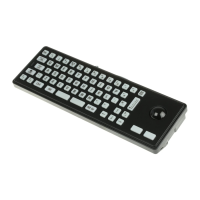
Explains options like Vandal Resistant, Robust, trackball integration, and function keys for different models.

Language Support Options

Covers standard language layouts and custom firmware/layout availability for the keyboards.

Accessories and Cables

Lists available accessories such as fixing kits and foot kits, along with compatible cable options.

Technical Specifications

Electrical and Mechanical Specs

Covers electrical parameters like bounce, resistance, insulation, and mechanical aspects like operational life and actuation force.

Performance and Regulatory Compliance

Details operational temperature, impact rating, vibration, water/dust sealing, and certifications (CE, FCC, UL).

Connection Options

USB Connectivity and Settings

Details USB connection, cable, and DIP switch settings for functions like Windows Explorer or hidden keys.

PS;2 Interface and Configuration

Covers PS/2/USB versions, DIP switch settings for PS/2 mode, USB mode, and trackerball connections.

Installation Procedures

Desktop Keyboard Setup

Instructions for assembling and using the keyboard as a free-standing desktop unit with the provided foot kit.

Under Panel Mounting Guide

Steps for mounting the keyboard under a panel using the 2210-MK000 fixing kit and associated hardware.

Inset Panel Installation (2212 Model)

Details for flush mounting the 2212 model into a panel, including recessing and screw assembly.

Panel Cut-out Dimensions

Provides precise dimensional drawings for panel cut-outs required for 2210, 2210TB, 2212, 2220, and 2230 models.

Keyboard Layouts and Codes

2210;12 Key Codes and Layouts

Maps key positions to UK/US layouts and PC/AT codes for 2210 and 2212 series keyboards.

2220 Key Codes and Layouts

Maps key positions to layouts and PC/AT codes for the 2220 series keyboards, including function keys.

2230 Key Codes and Layouts

Maps key positions to UK/US layouts, including Num Lock functions, and PC/AT codes for 2230 series keyboards.
Manual Change History

Storm 2200 Specifications

General IconGeneral
BrandStorm
Model2200
CategoryKeyboard
LanguageEnglish

Related product manuals