2200 Keyboard for Public Environments
Technical Manual
The content of this communication and/or document, including but not limited to images, specifications, designs, concepts and information is
confidential and is not to be used for any purpose or disclosed to a third party without the express and written consent of Keymat Technology Ltd.,
Copyright 2017. All rights reserved.
2200 Series Technical Manual Rev 2 May 2017.docx www.storm-interface.com
Page 7 of 23
Installation – Desktop
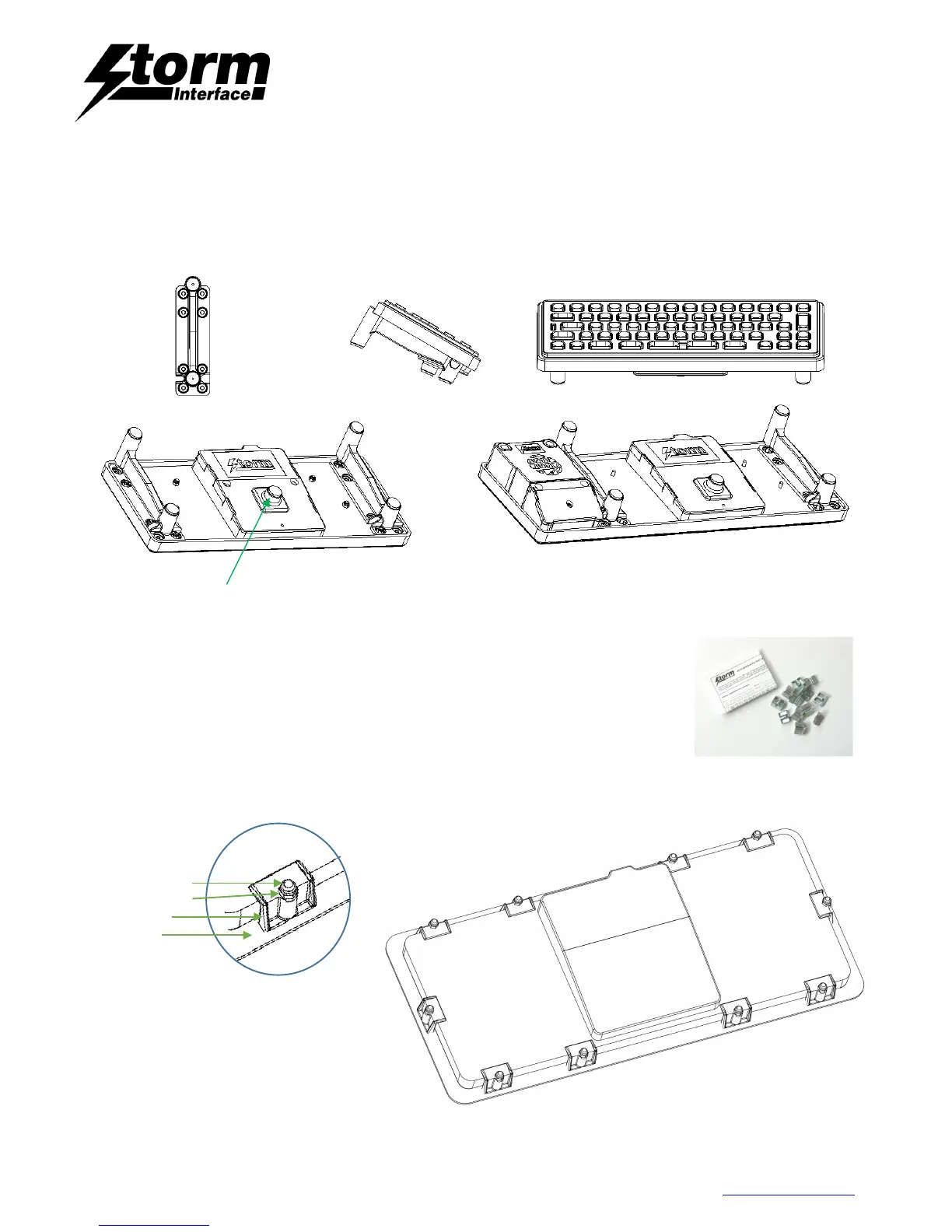
This Foot Kit enables a Storm 2200 Series Keyboard to be used as a Free-Standing Desktop Unit.
• Place the keyboard face down
• Attach the feet by removing the relevant nuts, place feet in position and refit the nuts.
• Place the bumpstop on pod lid in position shown.
Installation – Under panel
Use the 2200 Under panel Fixing Kit – contains 12 clips (Order PN 2210-MK000)
• Prepare a front panel with cut out and weld studs for the keyboard.
• Place the gasket over the weld studs.
• Place the keyboard into the panel cut out,
• Place one clip over each weld stud, and secure with M3 Nyloc nut
Weld Stud
M3 nyloc nut
Fixing Clip
Gasket


 To Next Page