V 11/17
45
Emergency operation
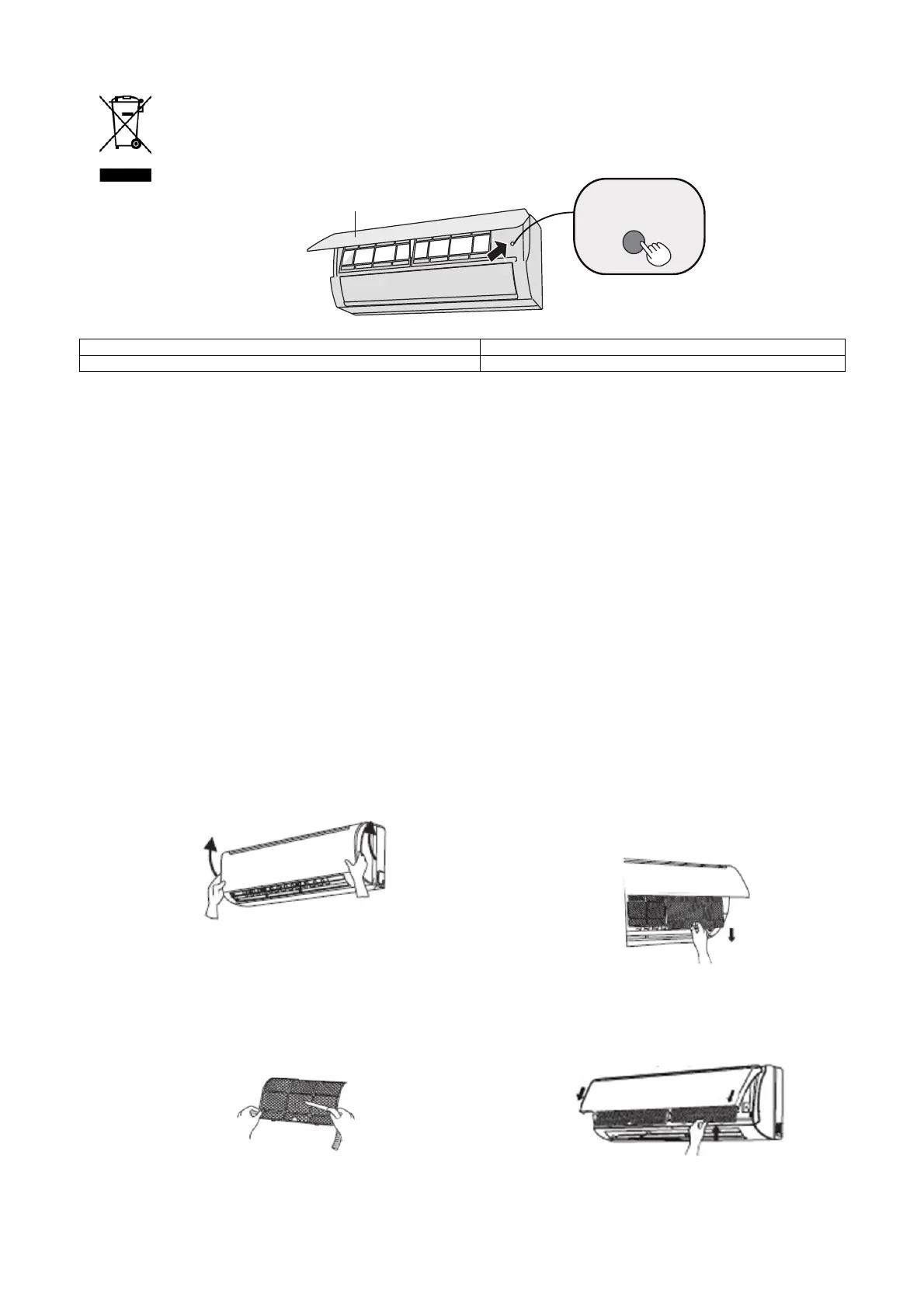
In the event of loss or failure of the remote control, use the emergency button located
under the indoor unit's front panel to turn the air conditioner on or off.
The unit will operate in automatic mode on start-up.
pannellino panel
Tastoausiliario auxiliarybutton
MAINTENANCE
Care and cleaning
N.B.:
Disconnect the power before servicing or cleaning the unit.
Cleaning the casing of the indoor unit
Use a soft, damp cloth to clean the outer surface of the unit.
Do not use water that is too hot, solvents, petrol or other aggressive chemical compounds,
talcum powder or brushes. These may damage the colour or surface of the casing.
To remove stains, use warm water with a little neutral detergent.
Do not pour water onto the air conditioner to clean it. This may damage the internal
components or cause a short circuit.
N.B.:
Do not remove the panel when cleaning the unit.
Cleaning the filters
Open the panel
Lift the front panel of the indoor unit, as shown.
Remove the filters
Remove the filters by lifting one of the
bottom corners and pulling them
downwards, as shown.
Clean the filters
• Use a vacuum cleaner to clean the filters.
• If they are very dirty, use water (below 45°C)
and leave to dry in a cool, dark place.
Refit the filters
Refit the filters and close the front panel.
N.B.:
The filters should be cleaned every three months, or more frequently if the room is very
dusty.
tasto ausiliario
pannellino



 To Next Page