V 11/17
40
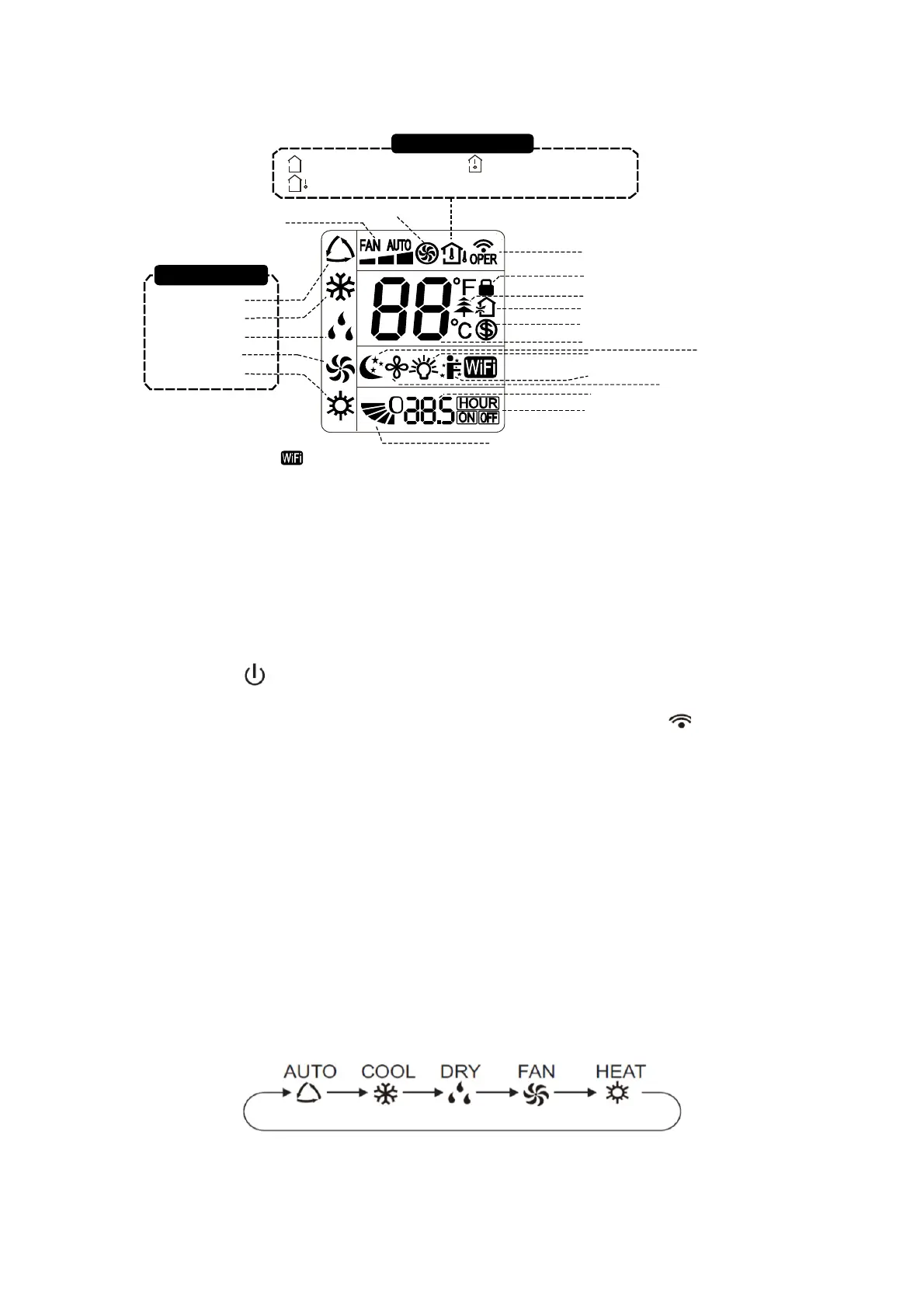
Getting to know the display icons
Getting to know the remote control buttons
N.B.:
● This is a general use remote controller, it can be used for the air conditioners with multifunction.
For some functions, which the model doesn't have, if you press the corresponding button on the
remote controller the unit will keep the original running status.
●Once connected to the power source, the air conditioner will make a sound. At this point the
operation indicator " " is ON (red indicator). You can now operate the air conditioner by using
the remote controller.
● Pressing the ON/OFF button on the remote controller, the signal icon " " on the display of
remote controller will blink once and the air conditioner will make a sound, this means that the
signal has been sent to the air conditioner. In the ignition state, the display shows the
corresponding function icons.
● Pressing once again the ON/OFF button to turn off the unit, the set temperature and the clock
icon will be displayed on the display of remote controller (If timer on, timer off and light functions
are set, the corresponding icons will be displayed on the display of remote controller at the same
time);
1. On/Off button
Press this button to turn on or off the unit. The sleep function will deactivate when the unit is turned
off.
2. Mode
button
Each time you press this button, a mode is selected in a sequence that goes from: AUTO, COOL,
DRY, FAN, and HEAT *, as the following:
When you select automatic mode, the air conditioner will operate automatically according to the
factory settings. The set temperature cannot be adjusted and will not be displayed. Pressing the
"FAN" button will allow you to adjust the fan speed. Pressing the "SWING" button will allow you
to adjust the angle of airflow.
Send signal
Turbo mode
8℃ heating function
Set temperature
Set time
TIMER ON /TIMER OFF
Child lock
Up & down swing
Set fan speed
Light function
Temp. display type
:Set temp.
:Outdoor ambient temp.
:Indoor ambient temp.
Sleep mode
Heat mode
Fan mode
Dry mode
Cool mode
Auto mode
Operation mode
I feel function
X-fan mode
health function
ventilation operation
NOTICE:
“ ” This is a general remote controller. Some models have this function while some
do not. Please refer to the actual models.



 To Next Page