Installation Guide CD80/CD80AE Processor Retrofit Kit
8 Installation
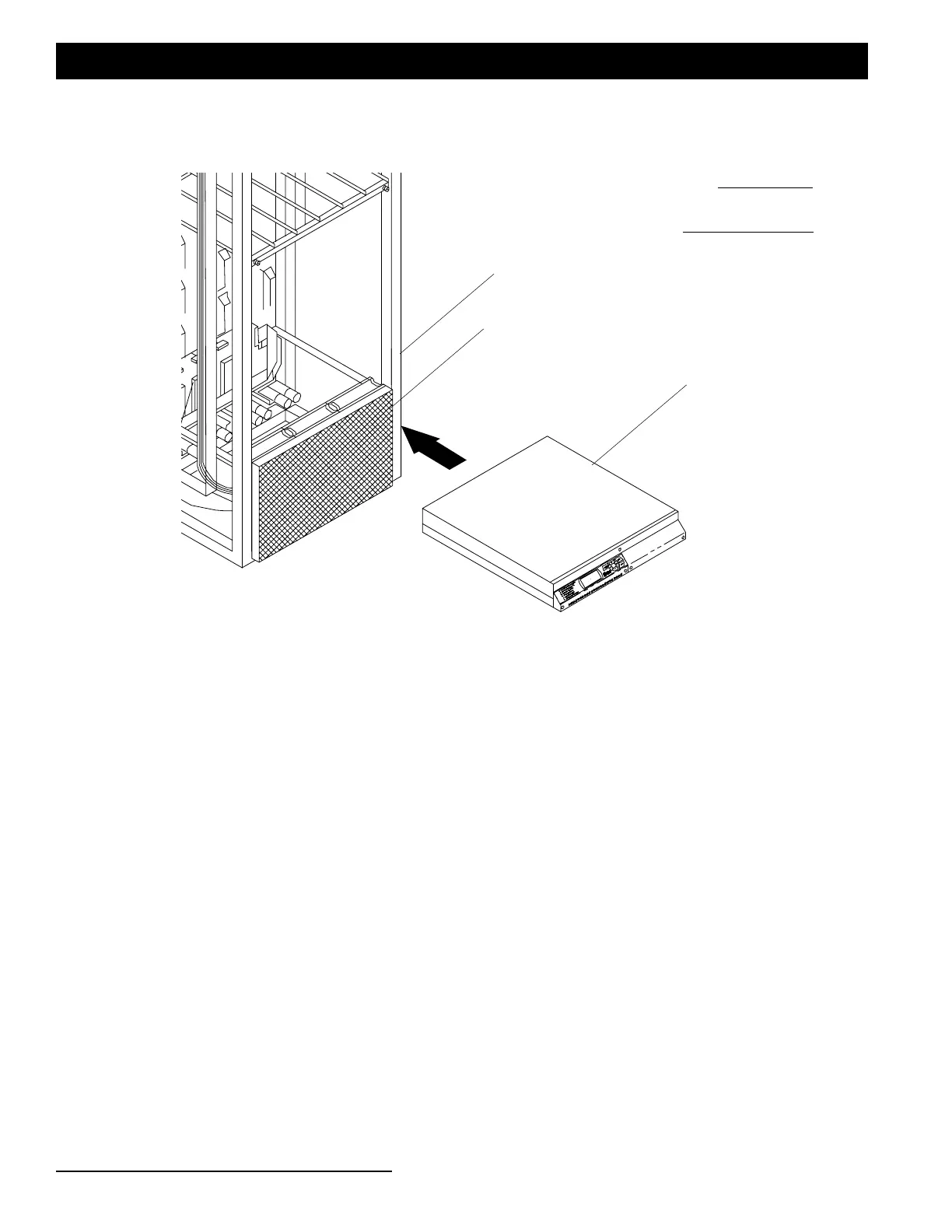
Step 9. After all connections are made, install retrofit kit processor directly above new fan assembly using original
processor mounting guides as shown in Figure 6.
Figure 6: Retrofit Processor Install
Step 10.Check and confirm that all connections are firmly connected.
Step 11.Check and confirm that all cables are not laying directly on or near power busses.
Step 12.Reapply power to dimming rack and check operation.
Existing CD80AE Dimming Rack
Note:
Some components not
shown for clarity.
Retrofit Fan Assembly (installed)
Retrofit Processor Unit


 To Next Page