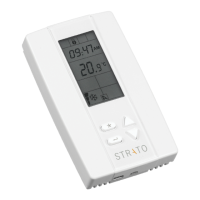
BW437-RTU Quick Guide
Contents
www.stratoautomation.comwww.stratoautomation.com
Applications, sequences and curves………………………….
RT 2STG – RTU - 2 Stage Heat / 2 Stage Cool……………..
RT ECON – RTU - 2 Stage Heat / 2 Stage Cool with Modulating
Economizer ……………….…………………………….
HP 2STG – Heatpump - 2 Stage Heatpump
with Modulating Economizer ……………………..………
RT IAQ - RTU - 2 Stage Heat / 2 Stage Cool with Modulating
Economizer and CO2…………………………….………
RT MOD – RTU - 1 Stage Heat / 2 Stage Cool with Modulating
Heat……………………………………………………
HP DEH – Heatpump – 2 Stage Heatpump
with Staged Dehumidification……………………………
HUM-DEH – RTU – 2 Stage Heat / 2 Stage Cool, Staged
Dehumidification with Modulating Humidifier………………
RT 3STG – RTU - 2 On/Off Heat / 3 Stage Cool…….……..
RT 4STG – RTU - 2 On/Off Heat / 4 Stage Cool…………….
RT 3STG – HP - 1 On/Off Heat / 3 Heatpump…….……..
RT 4STG – HP - 1 On/Off Heat / 4 Heatpump…………….
Service menu……………………………………………
Test IO menu…………………………………………….
Physical Inputs and Outputs……………………………….
Analog Values………………………………………….
Binary Values…………………………………………….
Multi-State Values……………………………………….
RS485 Network Guidelines…………………………………. …
Specifications…………………………………. ………….
p. 20
p. 20
p. 22
p. 25
p. 27
p. 29
p. 31
p. 33
p. 35
p. 37
p. 39
p. 41
p. 43
p. 44
p. 41
p. 45
p. 48
p. 49
p. 61
p. 66
Disclaimers……………………………………………….
Symbol's definition………………………………………...
Contents…………………….……………………………
Description and model numbers……………………………
Installation…………………………………………………
Mounting………………………………….………….
Internal Jumper Settings………………….………….…
Power Supply Connections…………………..…………
I/O’s Wiring Instructions………………..………………
Interface……………………….…………….……………
Buttons……………………………………………….
Local LCD display………………………………………
Display Messages on Local LCD display……………………
Cooling and Heating Stages Application note……………………
Using the menus……………………………………..…….
Network configuration settings…………………………..
Quick setup menu………………………………………
p. 2
p. 3
p. 4
p. 5
p. 6
p. 7
p. 8
p. 9
p. 10
p. 12
p. 12
p. 13
p. 14
p. 15
p. 16
p. 16
p. 17


 To Next Page